

Create a responsive Blog Filter Post Grid to showcase posts. Let visitors filter by Category or Tag easily using Ajax. Supports Elementor and Divi.
★ 4.9/5 (81)7,000+ active installations
- Version
- 1.8.7
- WordPress
- 5.0+
- PHP
- 7.0+
- Updated
- 1 Sep 2026
WORDPRESS RESOURCES
Explore public plugin information from the official WordPress.org directory. Compare what a plugin does, its requirements and update history before adding it to your website.
Explore WordPress hosting →3,267 matching plugins reported by WordPress.org · Page 22 of 50
Source: WordPress.org
Data refreshed 20 Nov 2026 11:56 UTC
Create a responsive Blog Filter Post Grid to showcase posts. Let visitors filter by Category or Tag easily using Ajax. Supports Elementor and Divi.
Testimonial blocks for the block editor. Show customer reviews, star ratings and photos in a responsive grid or carousel slider. No coding.
The #1 secure WordPress MCP server for connecting Claude, ChatGPT, & AI agents (MCP Clients) with 400+ tools for WooCommerce, SEO, Elementor, audi …

By eleopard
Add cool CSS3 animations to your content.

By codesupplyco
Essential components for every WordPress site: share buttons, social links, social media integrations, galleries, lazyload, custom widgets, and more.

By Konrad Chmielewski
All-in-one enhancement suite that improves WordPress & Advanced Custom Fields.

By Nasir Uddin
Generic Elements is the most complete elementor design toolkit which enhanced the power of elementor plugin.

By midragtrust
Varied display options for the Midrag Trust verified widget on your WordPress site.

By jgwhite33
Display Airbnb guest reviews in a fast WordPress slider or grid with a summary badge. Multi-listing support; stored locally on your server.

By colorlibplugins
Replace your theme's plain 404 page with one of 20 ready-made designs, edited live in the Customizer. No code, no page builder.

By Fernando Tellado
Page cache, browser cache, defer JS, critical CSS, lazy load and WordPress cleanup. Speed up your site and disable the bloat you do not need.
By codepeople
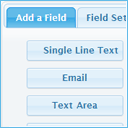
Create responsive contact and booking forms with a visual drag-and-drop form builder, inline validation, built-in CAPTCHA, and email delivery.
CHOOSE WHAT YOUR WEBSITE NEEDS
Start with the task you need to solve. Compare features, WordPress and PHP requirements, update history and the author’s documentation. Test changes on a private copy and avoid adding several plugins for the same job.
This independent directory displays plugin information on WebFulHost and links to the official source. Packages are not mirrored or installed here. A plugin can include paid extensions or services with separate terms from its author.

