

HT Slider For Elementor
By HT Plugins
The HT Slider is an Elementor slider plugin that enables you to add advanced sliders to your WordPress website.
★ 3.8/5 (12)20,000+ active installations
- Version
- 1.7.11
- WordPress
- 5.0+
- Updated
- 28 Oct 2026
WORDPRESS RESOURCES
Explore public plugin information from the official WordPress.org directory. Compare what a plugin does, its requirements and update history before adding it to your website.
Explore WordPress hosting →3,921 matching plugins reported by WordPress.org · Page 23 of 50
Source: WordPress.org
Data refreshed 22 Nov 2026 05:50 UTC
By HT Plugins
The HT Slider is an Elementor slider plugin that enables you to add advanced sliders to your WordPress website.

By Naiche
A clean, lightweight dark mode for the WordPress admin dashboard.

By yo35
This plugin allows you to typeset and display chess diagrams and PGN-encoded chess games.
By Roland Murg
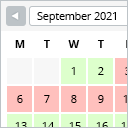
This booking calendar shows when something is booked or available. Use it to show when your holiday home is available for rent, for example.

By Imtiaz Rayhan
Table Block For the Block Editor. Craft Beautiful Tables With Ease.

By Bhavesh Khadodara
Easily add customizable call to action blocks in your posts and pages with the Call To Action Customizable Block for Gutenberg.
Photo gallery plugin that writes your image SEO with a built-in AI. Create responsive image galleries in minutes.

By add-ons.org
Allow users to submit WordPress posts directly from Elementor Forms. Easy setup, flexible, and developer-friendly.
A fully featured, easy-to-use documentation plugin with AI chat, search, FAQs, and quizzes. Build beautiful knowledge bases, docs, and wikis.

Get a fast & all-in-one community plugin. Create unlimited communities, and courses with robust social networking and LMS features.
Manage multiple WordPress sites from one dashboard.

By classictemplate
Classic Blog Grid : A plugin to display blog posts in various grid formats: list, masonry, and slider.
CHOOSE WHAT YOUR WEBSITE NEEDS
Start with the task you need to solve. Compare features, WordPress and PHP requirements, update history and the author’s documentation. Test changes on a private copy and avoid adding several plugins for the same job.
This independent directory displays plugin information on WebFulHost and links to the official source. Packages are not mirrored or installed here. A plugin can include paid extensions or services with separate terms from its author.


