

FAQly – Ultimate FAQ
By drakearthur
FAQly – Ultimate FAQ Plugin: A plugin to manage FAQs and display them as an accordion using a shortcode.
★ 3.8/5 (5)1,000+ active installations
- Version
- 1.2.4
- WordPress
- 5.2+
- PHP
- 7.4+
- Updated
- 13 Nov 2026
WORDPRESS RESOURCES
Explore public plugin information from the official WordPress.org directory. Compare what a plugin does, its requirements and update history before adding it to your website.
Explore WordPress hosting →2,112 matching plugins reported by WordPress.org · Page 23 of 50
Source: WordPress.org
Data refreshed 25 Nov 2026 21:20 UTC
By drakearthur
FAQly – Ultimate FAQ Plugin: A plugin to manage FAQs and display them as an accordion using a shortcode.

By Timo Reith
Notify on every post change: Flexible rules, custom placeholders and support for all post types and taxonomies.

By Spider Themes
The ultimate WordPress Job Board plugin. Create a recruitment website with unlimited job listings, candidate profiles, and company pages.

By A WP Life
Display pricing plans with responsive tables. Unlimited packages, 4 templates, shortcode support. Works with Elementor and Gutenberg.
Appointment scheduling & event booking plugin for WordPress. Let clients self-schedule 24/7, register for events, and pay at booking.

By Binsaifullah
Duplicate PP is a simple plugin which allows you to duplicate any POST,PAGE and Custom POST TYPE Easily.

By tychesoftwares
Track abandoned carts and send automated, customizable abandoned cart recovery emails. Reduce cart abandonment, recover lost revenue & increase sales.

By Abhishek Deshpande
Disable unused WordPress features and remove bloat. 120 switches for performance, security and WooCommerce — pure PHP, no .htaccess, no upsell.
By tharkun69
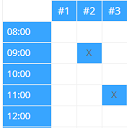
Create configurable occupancy schedules and let visitors view, request and manage bookings directly in the WordPress frontend.
Schedule WordPress posts to social media and auto share content across Facebook, Twitter (X), Instagram, Pinterest, TikTok, and LinkedIn.
White label WordPress admin, admin menu editor, login page customizer, admin dark mode, media library folders, admin columns.

By HeroThemes
Heroic Table of Contents is the easiest way to add a table of contents to your site.
CHOOSE WHAT YOUR WEBSITE NEEDS
Start with the task you need to solve. Compare features, WordPress and PHP requirements, update history and the author’s documentation. Test changes on a private copy and avoid adding several plugins for the same job.
This independent directory displays plugin information on WebFulHost and links to the official source. Packages are not mirrored or installed here. A plugin can include paid extensions or services with separate terms from its author.


