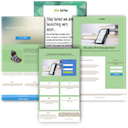
Nova Blocks by Pixelgrade
By pixelgrade
A collection of distinctive Gutenberg blocks, committed to making your site shine like a newborn star.
800+ active installations
- Version
- 2.7.2
- WordPress
- 7.0+
- PHP
- 7.4+
- Updated
- 26 Nov 2026
WORDPRESS RESOURCES
Explore public plugin information from the official WordPress.org directory. Compare what a plugin does, its requirements and update history before adding it to your website.
Explore WordPress hosting →1,221 matching plugins reported by WordPress.org · Page 23 of 50
Source: WordPress.org
Data refreshed 28 Nov 2026 06:40 UTC
By pixelgrade
A collection of distinctive Gutenberg blocks, committed to making your site shine like a newborn star.

By K's Art Office
Build landing pages with AI inside WordPress — bring your own AI key. Real HTML/CSS you can edit live. No drag-and-drop, no builder lock-in.

By Alex
Enterprise-grade WordPress security: WAF, brute force protection, malware scanner, 2FA, honeypots, AI crawler control, and post-breach recovery.

By Seth Smigelski
A lightweight, feature-packed SEO plugin for meta tags, JSON-LD structured data, XML sitemaps, article jump links, GTM integration and easy migration.
Label AI-generated images and videos in line with the EU AI Act (Art. 50): per-file flags, a visitor disclosure popup and EU-style badges.

By Chema
Remember where each video was left off, and play your videos as an ordered playlist.
Build responsive sliders and carousels in the block editor - image, video, post, testimonial, logo and before-after slider blocks.

By wpbranddigital
Gutenberg logo carousel block. Show client & partner logos with slider, grid, masonry, multi-row layouts, tooltips, and full style controls.

By mansoormunib
Alphabetical (A–Z, #, 0–9) index for any post type. Shortcode, Gutenberg block, REST API, WooCommerce auto-mount, multilingual, WCAG AA.

By Frank Goossens
High performance YouTube video, playlist and audio-only embeds which don't slow down your blog and offer optimal accessibility.

By Rocket Comunicazione
Advanced WordPress dashboard: WooCommerce products & stats, SEO tools, WP Rocket cache control and media management in one place.
Landing Page Builder lets you create Custom Pages using pre designed Free Landing Page templates with Ultimate Landing Page Builder.
CHOOSE WHAT YOUR WEBSITE NEEDS
Start with the task you need to solve. Compare features, WordPress and PHP requirements, update history and the author’s documentation. Test changes on a private copy and avoid adding several plugins for the same job.
This independent directory displays plugin information on WebFulHost and links to the official source. Packages are not mirrored or installed here. A plugin can include paid extensions or services with separate terms from its author.