

Password Protect Pages, Posts & Content in WordPress
★ 4.2/5 (60)10,000+ active installations
- Version
- 4.3.25
- WordPress
- 6.5+
- PHP
- 7.2+
- Updated
- 19 Nov 2026
WORDPRESS RESOURCES
Explore public plugin information from the official WordPress.org directory. Compare what a plugin does, its requirements and update history before adding it to your website.
Explore WordPress hosting →3,481 matching plugins reported by WordPress.org · Page 23 of 50
Source: WordPress.org
Data refreshed 21 Nov 2026 23:03 UTC
Password Protect Pages, Posts & Content in WordPress

By Alimuzzaman Alim
Use a local avatar or profile picture for registered users, with a site default and a Gravatar alternative for those accounts.
Real-time activity log and audit log for WordPress. Track every user action — logins, edits, plugin & settings changes — and get alerts.

By Pablo Di Loreto
Adds your WordPress Multisite users to your sites, automatically or on demand: new users, new sites, role changes.
Create custom post types in WordPress with custom fields, taxonomies, and meta fields. AI-powered WordPress metadata plugin.

By click5
Best WordPress plugin to track user activity and log changes on your website.
Under Construction is a simple plugin for setting up Under Construction, Coming Soon and Maintenance Mode using WordPress Customizer.

By Weblizar - WordPress Themes & Plugin
Customize Your WordPress Login Screen Amazingly - Add Own Logo, Add Social Profiles, Login Form Positions, Background Image Slide Show

By Gemini Labs
Site Reviews is the best free reviews plugin. It integrates with WooCommerce & SureCart and works just like reviews on Amazon, Tripadvisor, and Yelp.
By Denis Botić
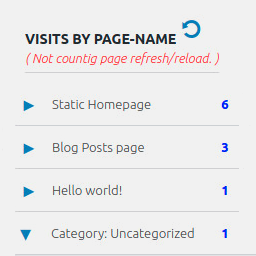
Display number of visits for each page in admin dashboard and browser developer-tool/console. Doesn't count page refresh as a new visit...
More than 20 special blocks for Gutenberg to build complex pages and animations with highest possible web vitals score.
Push Notifications for WP - Self Hosted Web Push Notifications makes it easy to send Web Push notifications to your users for FREE with 2 minutes setu …
CHOOSE WHAT YOUR WEBSITE NEEDS
Start with the task you need to solve. Compare features, WordPress and PHP requirements, update history and the author’s documentation. Test changes on a private copy and avoid adding several plugins for the same job.
This independent directory displays plugin information on WebFulHost and links to the official source. Packages are not mirrored or installed here. A plugin can include paid extensions or services with separate terms from its author.




