Add a stunning call to action (CTA) block to your WordPress post or page using 10+ prebuilt call to action layouts for Gutenberg.
★ 1.0/5 (1)1,000+ active installations
- Version
- 2.1.3
- WordPress
- 5.0+
- PHP
- 5.4+
- Updated
- 9 Dec 2025
View plugin details ↗Display dynamic, randomized images, background banners, and interactive image rotators in WordPress Block Editor (Gutenberg).
★ 3.8/5 (4)100+ active installations
- Version
- 1.2.0
- WordPress
- 5.8+
- PHP
- 7.0+
- Updated
- 8 Oct 2026
View plugin details ↗
By Weblizar - WordPress Themes & Plugin
Customize Feeds for Twitter plugin for WordPress. You can use this to display real time Twitter feeds on any where on your website by using shortcode …
★ 4.2/5 (18)4,000+ active installations
- Version
- 2.2.4
- Updated
- 12 Jul 2025
View plugin details ↗Video and audio player, floating video bubble and playlists with call-to-action buttons and built-in analytics.
★ 5.0/5 (2)200+ active installations
- Version
- 5.0.6
- WordPress
- 5.0+
- PHP
- 7.4+
- Updated
- 20 Nov 2026
View plugin details ↗
By Ecwid by Lightspeed Ecommerce Shopping Cart
Powerful, easy to use ecommerce shopping cart for WordPress. Sell on Facebook and Instagram. iPhone & Android apps. Superb support.
★ 4.5/5 (228)20,000+ active installations
- Version
- 7.0.10
- WordPress
- 4.4+
- Updated
- 1 Oct 2026
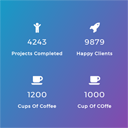
View plugin details ↗Counter Number WordPress Plugin brings you all the powerful Stats Counter features to your wordpress website
★ 4.6/5 (190)10,000+ active installations
- Version
- 1.4.0
- WordPress
- 5.0+
- Updated
- 26 Dec 2024
View plugin details ↗Replace your WooCommerce checkout with a beautiful, high-converting Shopify-style checkout experience.
★ 5.0/5 (1)20+ active installations
- Version
- 1.1.0
- WordPress
- 6.0+
- PHP
- 7.4+
- Updated
- 17 Aug 2026
View plugin details ↗Choose, customise and display Google and Footfall review widgets on any WordPress page.
10+ active installations
- Version
- 1.3.6
- WordPress
- 6.5+
- PHP
- 7.4+
- Updated
- 1 Nov 2026
View plugin details ↗Page builder for WordPress with drag and drop header/footer editing, responsive settings, and animations. Compatible with Gutenberg block editor.
★ 4.4/5 (212)10,000+ active installations
- Version
- 2.1.24
- WordPress
- 6.0+
- PHP
- 7.4+
- Updated
- 6 Nov 2026
View plugin details ↗Display saved Google Reviews in eight responsive layouts with configurable display settings and shortcode support.
0+ active installations
- Version
- 1.1.0
- WordPress
- 5.8+
- PHP
- 8.1+
- Updated
- 20 Nov 2026
View plugin details ↗Create beautiful contact forms and popups with floating buttons.
★ 4.8/5 (32)1,000+ active installations
- Version
- 1.1.9
- WordPress
- 3.8+
- PHP
- 5.3+
- Updated
- 11 Nov 2026
View plugin details ↗Let customers name their own price on WooCommerce products & donations, offer flexible pricing options with NYOP & open pricing features.
★ 5.0/5 (6)300+ active installations
- Version
- 3.5.1
- WordPress
- 4.4+
- PHP
- 7.3+
- Updated
- 29 Sep 2026
View plugin details ↗