WordPress comments plugin with AJAX live comments, comment voting, inline feedback, social login, custom comment forms and WooCommerce reviews.
★ 4.7/5 (582)60,000+ active installations
- Version
- 7.7.0
- WordPress
- 6.4+
- PHP
- 8.0+
- Updated
- 12 Nov 2026
View plugin details ↗Enterprise-grade WordPress security: WAF, brute force protection, malware scanner, 2FA, honeypots, AI crawler control, and post-breach recovery.
★ 4.8/5 (9)900+ active installations
- Version
- 1.1.47
- WordPress
- 6.0+
- PHP
- 8.0+
- Updated
- 24 Nov 2026
View plugin details ↗eCommerce plugin for online stores, subscriptions, digital downloads & software licensing. Including checkout, payments, tax, and zero commissions.
★ 4.5/5 (47)10,000+ active installations
- Version
- 2.3.3
- WordPress
- 6.7+
- PHP
- 7.4+
- Updated
- 20 Nov 2026
View plugin details ↗AI-Powered schema markup plugin for WordPress. Generate JSON-LD schema and FAQs, validate Rich Results, and audit your structured data.
★ 4.8/5 (25)10,000+ active installations
- Version
- 3.1.6
- WordPress
- 7.0+
- PHP
- 7.4+
- Updated
- 11 Nov 2026
View plugin details ↗Gutenberg block editor with AI. 70+ Gutenberg blocks, patterns, WooCommerce blocks, post grid, gallery, menu with Gutenberg block library.
★ 4.9/5 (216)100,000+ active installations
- Version
- 6.5.4
- WordPress
- 5.8+
- PHP
- 7.4+
- Updated
- 17 Nov 2026
View plugin details ↗57 native blocks + 18 universal extensions for the WordPress block editor. Forms, dynamic post lists, animations, layouts — no page builder needed.
★ 5.0/5 (3)8,000+ active installations
- Version
- 2.11.4
- WordPress
- 6.7+
- PHP
- 7.4+
- Updated
- 23 Nov 2026
View plugin details ↗Full-featured FAQ and accordion plugin with advanced search, simple UI and easy-to-use FAQ blocks and shortcodes.
★ 4.6/5 (440)30,000+ active installations
- Version
- 2.6.0
- WordPress
- 6.0+
- PHP
- 7.4+
- Updated
- 13 Oct 2026
View plugin details ↗BEAR - WooCommerce Bulk Editor Professional. Bulk edit prices, stock, SKU, attributes. Bulk delete, export CSV. AI assistants manage your shop via MCP …
★ 4.7/5 (228)30,000+ active installations
- Version
- 1.2.6
- WordPress
- 6.0+
- PHP
- 7.4+
- Updated
- 21 Nov 2026
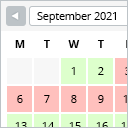
View plugin details ↗This booking calendar shows when something is booked or available. Use it to show when your holiday home is available for rent, for example.
★ 4.8/5 (227)10,000+ active installations
- Version
- 2.0.16
- WordPress
- 4.7+
- PHP
- 5.6+
- Updated
- 29 Jun 2026
View plugin details ↗Adds a user friendly and fully automatic way to create and display a table of contents generated from the page content.
★ 4.4/5 (221)600,000+ active installations
- Version
- 2.0.91
- WordPress
- 5.0+
- PHP
- 5.6.20+
- Updated
- 24 Nov 2026
View plugin details ↗Social media icons and share buttons: 2,400+ icons, block, widget & Elementor. Plus a Click to Chat button for WhatsApp, Telegram & Messenger.
★ 4.9/5 (144)90,000+ active installations
- Version
- 5.0.2
- WordPress
- 6.5+
- PHP
- 7.4+
- Updated
- 21 Nov 2026
View plugin details ↗Drag & drop to import from any CSV, Excel, XML, or Google Sheets file into Rank Math SEO's titles, meta descriptions, focus keywords, schema …
★ 4.5/5 (4)6,000+ active installations
- Version
- 1.2.1
- WordPress
- 5.0+
- PHP
- 7.4+
- Updated
- 20 Oct 2026
View plugin details ↗