

Ruby Mega Menu
By ismailonur
A powerful mega menu builder replacing the default navigation with dropdowns, mega menus, and content tabs — no code required.
10+ active installations
- Version
- 1.0.8
- WordPress
- 6.0+
- PHP
- 7.4+
- Updated
- 2 Jun 2026
WORDPRESS RESOURCES
Explore public plugin information from the official WordPress.org directory. Compare what a plugin does, its requirements and update history before adding it to your website.
Explore WordPress hosting →2,912 matching plugins reported by WordPress.org · Page 25 of 50
Source: WordPress.org
Data refreshed 22 Nov 2026 17:30 UTC
By ismailonur
A powerful mega menu builder replacing the default navigation with dropdowns, mega menus, and content tabs — no code required.

By ServMask
Trusted by 60M+ sites: The gold standard for WordPress migration and backup. Migrate, backup, and restore your WordPress site with one click.
By scribu
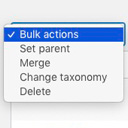
Allows you to merge terms, move terms between taxonomies, and set term parents, individually or in bulk.

By Happy Coders
Allow logged-in WooCommerce customers to manage multiple addresses in an address book and select them easily during checkout.

By mra13 / Team Tips and Tricks HQ
Lightweight, user-friendly plugin to sell products/services on WordPress. Easily add a shopping cart and start accepting orders in minutes.
Unlock advanced dynamic/tiered pricing strategies with quantity-based discounts. Optimize bulk pricing for increased savings and customer satisfaction
The friendly way to build real Mapbox, MapLibre, or Google maps in WordPress — store locators, GeoJSON data, custom popups, and more.

By tychesoftwares
Add product addons (fields) to WooCommerce products. Personalise with various product options for WooCommerce. Create product forms for WooCommerce.

By Brainstorm Force
1 WordPress funnel builder & WooCommerce checkout plugin. Boost AOV with one-click upsells, order bumps & high-converting checkout pages.

Newsletter optins, discount coupon popups, sticky bars and lightbox modals that capture leads and recover abandoned WooCommerce carts.

By Magnigenie
Commission free online ordering for restaurants on WordPress. Take delivery, pickup and takeaway orders on your own site, with no per order fees.

By artiosmedia
This plugin will allow a user to add up to two additional internal product identifiers to the order process in addition to the GTIN, EAN, SKU, or UPC.
CHOOSE WHAT YOUR WEBSITE NEEDS
Start with the task you need to solve. Compare features, WordPress and PHP requirements, update history and the author’s documentation. Test changes on a private copy and avoid adding several plugins for the same job.
This independent directory displays plugin information on WebFulHost and links to the official source. Packages are not mirrored or installed here. A plugin can include paid extensions or services with separate terms from its author.

