
ShopMagic for Google Sheets
By wpdesk
Integrate your WooCommerce store with Google Sheets - the most popular Spreadsheet service for free.
★ 5.0/5 (2)300+ active installations
- Version
- 2.1.21
- WordPress
- 6.4+
- PHP
- 8.1+
- Updated
- 21 Nov 2026
WORDPRESS RESOURCES
Explore public plugin information from the official WordPress.org directory. Compare what a plugin does, its requirements and update history before adding it to your website.
Explore WordPress hosting →336 matching plugins reported by WordPress.org · Page 26 of 28
Source: WordPress.org
Data refreshed 29 Nov 2026 18:49 UTC
By wpdesk
Integrate your WooCommerce store with Google Sheets - the most popular Spreadsheet service for free.

By Klarna
Grow your business for increased sales and enhanced shopping experiences at no extra costs.

By dtpm
Privacy-first consent management: strict blocking before consent, no usage limits, and not a single call to a server of ours.
Item-based price calculator with online booking for junk removal, house clearance and moving companies. Instant price, date and time slot, no payment.

By Mithun Biswas
An AI chatbot that answers from your articles, shops your WooCommerce catalog and cart, and hands the chat to your team when a person is needed.

By WP Lab
List products from WordPress on eBay. The easy way.
Peppol e-invoicing for WooCommerce from a certified Access Point: Belgium, Germany, Netherlands, Australia, New Zealand, Oman. Credit notes included.
Turn first-time buyers into repeat customers. Reward purchases and photo reviews with points they spend at checkout. Free, with nothing metered.

By Collector Bank
Walley Checkout for WooCommerce is a plugin that extends WooCommerce, allowing you to take payments via Collector Banks payment method Walley Checkout …

By flexilay
Accept FlexiLay lay-by / instalment plans via WooCommerce. Customers pay a deposit and complete instalments before goods are supplied.

By WP Asia
Display calendar section for appointments reservations or bookings. Specify custom time slots. Link checkout process with WooCommerce.
By Doug Stoddart
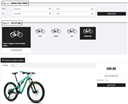
Get more bike rentals with Bike Rental Manager online booking. Checks against your live availability - no more double bookings.
CHOOSE WHAT YOUR WEBSITE NEEDS
Start with the task you need to solve. Compare features, WordPress and PHP requirements, update history and the author’s documentation. Test changes on a private copy and avoid adding several plugins for the same job.
This independent directory displays plugin information on WebFulHost and links to the official source. Packages are not mirrored or installed here. A plugin can include paid extensions or services with separate terms from its author.