

Build a searchable WordPress knowledge base, documentation hub, help center, or FAQ with responsive layouts, live search, and analytics.
★ 5.0/5 (1)10+ active installations
- Version
- 2.0.5
- WordPress
- 6.4+
- PHP
- 7.4+
- Updated
- 25 Aug 2026
WORDPRESS RESOURCES
Explore public plugin information from the official WordPress.org directory. Compare what a plugin does, its requirements and update history before adding it to your website.
Explore WordPress hosting →745 matching plugins reported by WordPress.org · Page 26 of 50
Source: WordPress.org
Data refreshed 25 Nov 2026 01:47 UTC
Build a searchable WordPress knowledge base, documentation hub, help center, or FAQ with responsive layouts, live search, and analytics.

By damsoftware
Browse, search, and insert assets from your Mediagraph library without leaving the WordPress editor. Requires a Mediagraph account.

By Royal Plugins
Free affiliate link management, URL shortener, and link cloaking plugin with geo-targeting, A/B testing, QR codes, and auto-linking. No premium tier.

By Albert
The easiest, safest way to connect Claude, ChatGPT and other AI assistants to WordPress, built on WordPress's own MCP Adapter.
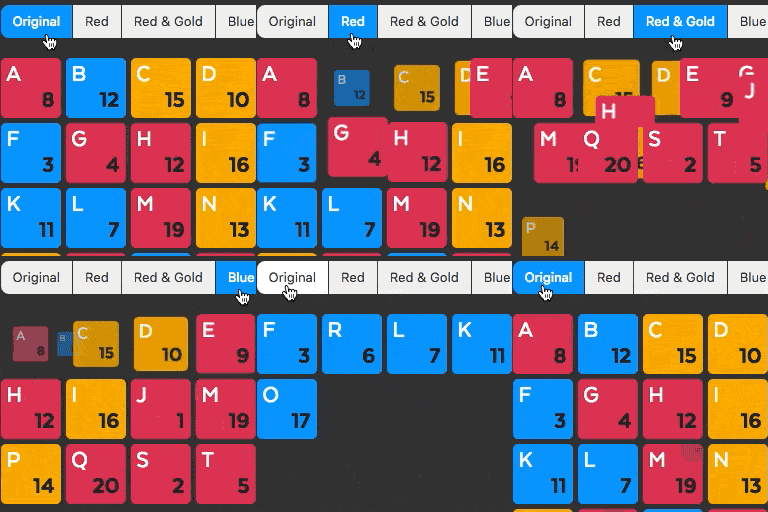
By Sharabindu Bakshi
Display your portfolio, posts, and product items in a grid with filterable

By Pluginjoy
Lightweight SEO plugin — meta tags, Schema.org markup, XML sitemap, redirects, GSC integration, and AI search visibility. Under 100KB.

By Krielkip
What Is This Toolbox Addon for Beaver Builder?

By SyncRanker
SyncRanker is a full hybrid SEO Suite, 301 Redirect Manager, and AI Automation Bridge that connects directly to the #1 AI SEO Writer and Studio.
Create high-converting popups, email opt-ins, exit-intent popups & WooCommerce popups to boost leads, subscribers and sales.

By RaoaTech
A free WordPress LMS for course creators. Build courses with lessons and quizzes, track progress, and manage learning with dashboards.

By Keyideas Infotech Private Limited
Feature-packed jewelry customizer for WooCommerce: let shoppers build their own engagement ring from diamonds, gemstones and your ring settings.

By Fibro Jedi
Your own tab for Classic Editor containing the preview/publish buttons. As you use the editor, it scrolls with you. No more scrolling back to the top!
CHOOSE WHAT YOUR WEBSITE NEEDS
Start with the task you need to solve. Compare features, WordPress and PHP requirements, update history and the author’s documentation. Test changes on a private copy and avoid adding several plugins for the same job.
This independent directory displays plugin information on WebFulHost and links to the official source. Packages are not mirrored or installed here. A plugin can include paid extensions or services with separate terms from its author.
