

WooCommerce Product Addons Add custom fields to your WooCommerce product page. With an easy-to-use Custom Form Builder.
★ 4.9/5 (478)30,000+ active installations
- Version
- 3.1.11
- WordPress
- 5.0+
- PHP
- 7.2+
- Updated
- 19 Nov 2026
WORDPRESS RESOURCES
Explore public plugin information from the official WordPress.org directory. Compare what a plugin does, its requirements and update history before adding it to your website.
Explore WordPress hosting →10,000 matching plugins reported by WordPress.org · Page 27 of 50
Source: WordPress.org
Data refreshed 20 Nov 2026 13:31 UTC
WooCommerce Product Addons Add custom fields to your WooCommerce product page. With an easy-to-use Custom Form Builder.

All-in-one automation plugin: Automate everything & connect your website, plugins and services together with no-code automations. 100+ integrations…

By Greg - SiteOrigin
Build responsive page layouts using the widgets you know and love using this simple drag and drop page builder.

By Walter Pinem
Transform your WooCommerce store with seamless WhatsApp integration. Enable customers to order products instantly via WhatsApp with enhanced features.

By Jeremy B. Shapiro
Short Code to grab any URL parameter from the Query String and display it or display conditional content.

By tapiokansleri
Free, no-ads, no-pro-version GDPR cookie consent with script blocking, consent logging, Google Consent Mode v2, and AI-assisted setup.
Responsive HTML5 video player for WordPress. Embed MP4, WebM, OGG, YouTube & Vimeo with shortcodes or blocks – customizable, fast, SEO-friendly.

By Andrew Ozz
Extends and enhances the block editor (Gutenberg) and the classic editor (TinyMCE).
Use ACF repeater fields inside Elementor loop items and add smart dynamic dropdown taxonomy filters to the Elementor Loop Grid widget.

By Jeff Starr
Disables the automatically generated WP Sitemaps.

EmbedPress lets you embed videos, pages, social feeds, embed PDF 3D flipbooks & other content on WordPress without coding & enhance storytelling.
By Farhan Noor
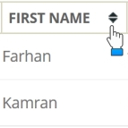
No more old static tables, make your HTML tables sortable.
CHOOSE WHAT YOUR WEBSITE NEEDS
Start with the task you need to solve. Compare features, WordPress and PHP requirements, update history and the author’s documentation. Test changes on a private copy and avoid adding several plugins for the same job.
This independent directory displays plugin information on WebFulHost and links to the official source. Packages are not mirrored or installed here. A plugin can include paid extensions or services with separate terms from its author.

