GenTime: Inspect page generation time
By Sybre Waaijer
GenTime accurately shows the page generation time in your WordPress admin bar.
★ 5.0/5 (7)100+ active installations
- Version
- 2.0.0
- WordPress
- 5.3+
- PHP
- 7.4+
- Updated
- 11 Nov 2026
WORDPRESS RESOURCES
Explore public plugin information from the official WordPress.org directory. Compare what a plugin does, its requirements and update history before adding it to your website.
Explore WordPress hosting →10,000 matching plugins reported by WordPress.org · Page 28 of 50
Source: WordPress.org
Data refreshed 21 Nov 2026 13:28 UTC
By Sybre Waaijer
GenTime accurately shows the page generation time in your WordPress admin bar.

By BoldGrid
Search Engine (SEO) & Performance Optimization (WPO) via caching. Integrated caching: CDN, Page, Minify, Object, Fragment, Database support.

By TheInnovs
Restrict user profile editing with granular role-based controls, additional wp-admin page restrictions, REST API protection, and custom redirects.

By Erick Hitter
Provides a "view all" (single page) option for content paged using WordPress' <!--nextpage--> Quicktag (multipage posts).

By nierdz
Manage OPcache inside your WordPress admin dashboard.
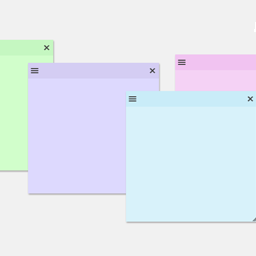
By Web Builder 143
Create sticky notes in your WP admin for reminders and to-dos. Restrict notes by user roles and disable them on specific pages.

By fontsplugin
Improve frontend performance by disabling Google Fonts. GDPR and DSGVO friendly.

By Yan Metelitsa
The sticky header is a widely used feature on many websites, but it can conflict with the WordPress admin bar. Tambar effectively resolves this issue!

By Fernando Tellado
FREE WordPress Security: firewall, two factor authentication (2FA), security headers, login, malware and password protection, scanner, activity log
This plugin allow admin to add extra fields in comment area. These fields are saved as comment meta and is displayed under comment text.

By WebFactory
WP Reset resets the entire site or selected parts using advanced reset options to default values. 100% safe to use with built-in restore function.
This plugin provides a full set of easy-to-use and customizable WooCommerce shortcodes as Page builder addon.
CHOOSE WHAT YOUR WEBSITE NEEDS
Start with the task you need to solve. Compare features, WordPress and PHP requirements, update history and the author’s documentation. Test changes on a private copy and avoid adding several plugins for the same job.
This independent directory displays plugin information on WebFulHost and links to the official source. Packages are not mirrored or installed here. A plugin can include paid extensions or services with separate terms from its author.