Add a side cart, popup cart, floating cart button, and one-page checkout layouts to WooCommerce.
★ 4.5/5 (16)700+ active installations
- Version
- 3.3.37
- WordPress
- 6.8+
- PHP
- 7.4+
- Updated
- 19 Oct 2026
WORDPRESS RESOURCES
Explore public plugin information from the official WordPress.org directory. Compare what a plugin does, its requirements and update history before adding it to your website.
Explore WordPress hosting →2,540 matching plugins reported by WordPress.org · Page 29 of 50
Source: WordPress.org
Data refreshed 19 Nov 2026 10:37 UTC
Add a side cart, popup cart, floating cart button, and one-page checkout layouts to WooCommerce.

By Looks Awesome
Social feed plugin: show Instagram, Facebook and X (Twitter) feeds in one responsive social media wall, grid or widget.

By Codeloghin
An enhanced solution to optimize the performance of your WordPress website and automatically achieve the best Heartbeat API values.
GutenKit – Ultimate no-code Gutenberg blocks to design stunning web pages and visually stunning posts in WordPress block editor.

By MaxtDesign
Free role-based pricing for WooCommerce. Create customer groups and apply percentage off, amount off, or exact set-price rules across your catalog.
By fuzzoid
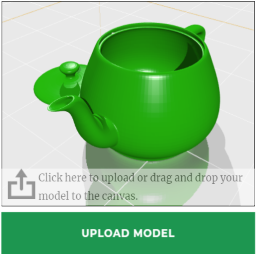
A plugin for selling 3D printing services.

Aggregate social media posts, hashtags, and mentions from Instagram, Bluesky, X (Twitter), Facebook, LinkedIn, YouTube, Google Reviews, and more into …
For bloggers and businesses who want YouTube playlists and channel feeds that load fast and only contact YouTube when visitors press play.

By Fahad Mahmood
A great plugin to implement custom styled jQuery UI datepicker site-wide.
Context-aware AI that analyzes both images and page content for accurate metadata. Process 1000+ images with 16x faster parallel processing.

By Rock Solid Plugins
Add an announcement bar, notification bar or sticky banner to your site or WooCommerce shop. Extend with countdowns, buttons and placement rules.
Make your site faster and more secure with the click of a few buttons
CHOOSE WHAT YOUR WEBSITE NEEDS
Start with the task you need to solve. Compare features, WordPress and PHP requirements, update history and the author’s documentation. Test changes on a private copy and avoid adding several plugins for the same job.
This independent directory displays plugin information on WebFulHost and links to the official source. Packages are not mirrored or installed here. A plugin can include paid extensions or services with separate terms from its author.