Speed up your posts by lazy-loading the WordPress comments on scroll or click. Works with classic and block themes.
★ 4.7/5 (28)2,000+ active installations
- Version
- 2.1.0
- WordPress
- 6.0+
- PHP
- 7.4+
- Updated
- 18 Sep 2026
View plugin details ↗AI powered meta, clustering, content, schema & rank tracking, plus an AI website builder - the AI SEO weapon most WordPress users haven't found yet.
★ 4.9/5 (51)10,000+ active installations
- Version
- 7.1.0.54
- WordPress
- 5.6+
- PHP
- 7.0+
- Updated
- 17 Nov 2026
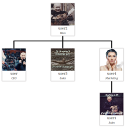
View plugin details ↗Drag-and-drop organization chart for WordPress. Display your team hierarchy with a shortcode.
★ 4.8/5 (22)900+ active installations
- Version
- 2.3.6
- WordPress
- 6.0+
- PHP
- 8.0+
- Updated
- 28 Jul 2026
View plugin details ↗WordPress testimonial plugin with a responsive slider, grid layout, and a free frontend submission form — let visitors add their own reviews with buil …
★ 4.8/5 (5)700+ active installations
- Version
- 1.0.32
- WordPress
- 5.8+
- PHP
- 7.4+
- Updated
- 20 Oct 2026
View plugin details ↗A plugin which provides an author box for your WordPress blog. Originally known as "Author Box for Divi."
★ 5.0/5 (12)900+ active installations
- Version
- 2.1.8
- WordPress
- 3.6+
- PHP
- 5.2+
- Updated
- 12 Oct 2026
View plugin details ↗Speeds up your website by making sure the gravatars are stored on your website and not loading from the gravatar server.
★ 3.9/5 (11)600+ active installations
- Version
- 0.5
- WordPress
- 2.7+
- Updated
- 19 May 2025
View plugin details ↗Convenient cloud-based localization and translation for WordPress.
★ 2.6/5 (48)7,000+ active installations
- Version
- 1.7.5
- WordPress
- 6.5+
- PHP
- 7.4+
- Updated
- 28 Oct 2026
View plugin details ↗All-in-One Authorship Solution: Seamless Author Box, Guest Authors, and Co-Authors to enhance your site's authority, credibility, engagement, and SEO.
★ 4.7/5 (158)10,000+ active installations
- Version
- 5.3.2
- WordPress
- 5.2+
- PHP
- 5.6.20+
- Updated
- 8 Oct 2026
View plugin details ↗Applies comment author name to Gravatar's Alt and Title tags in comments and author display name to Gravatars site-wide.
100+ active installations
- Version
- 1.1
- WordPress
- 3.1+
- Updated
- 17 Oct 2025
View plugin details ↗w3all WP phpBB integration - easy, light.
★ 4.7/5 (31)200+ active installations
- Version
- 3.2.8
- WordPress
- 6.0.0+
- PHP
- 7.2+
- Updated
- 21 Nov 2026
View plugin details ↗Present your content at its best for social sites and search results, no matter how URLs are shared, reshared, messaged, posted, embedded, or crawled.
★ 4.6/5 (306)4,000+ active installations
- Version
- 22.7.1
- WordPress
- 6.0+
- PHP
- 7.4.33+
- Updated
- 18 Nov 2026
View plugin details ↗Cool Author Box displays an responsive author box with social media links to your widget and post content area.
★ 5.0/5 (2)500+ active installations
- Version
- 3.0.3
- WordPress
- 5.8+
- PHP
- 7.4+
- Updated
- 21 Sep 2026
View plugin details ↗