

neo Replace – Simple replacement using drag & drop
By neoWP Media Image Plugins
Simple replacement with drag and drop!
★ 5.0/5 (1)80+ active installations
- Version
- 26.11.12
- WordPress
- 6.2+
- PHP
- 8.0+
- Updated
- 12 Nov 2026
WORDPRESS RESOURCES
Explore public plugin information from the official WordPress.org directory. Compare what a plugin does, its requirements and update history before adding it to your website.
Explore WordPress hosting →91 matching plugins reported by WordPress.org · Page 3 of 8
Source: WordPress.org
Data refreshed 27 Nov 2026 22:57 UTC
By neoWP Media Image Plugins
Simple replacement with drag and drop!

By miraqlum
Turn repetitive image preparation into a verified upload-time workflow for new WordPress images.

By Lloyd Communications
Photo galleries for WordPress. Upload photos, a folder or a zip file, and they're shown in a justified grid with a full-screen lightbox.

By itisnothuman
Disclose and label AI-generated images and content in 22 EU languages. A badge visitors see, plus metadata that survives download. Free, any theme.

By Connor Bulmer
Generate accessible alt text and image titles with OpenAI, Claude or DeepSeek, using page and product context.

By padams
Making WordPress work for photographers with beautiful image galleries, slideshows, meta-data tools, and more.
Unlimited Image Optimization. Bulk compress images, convert to WebP AVIF, safely clean unused images, improve site speed. Originals kept, undo anytime

By Bokhtyer Abid
Media cleaner: find unused image, large and duplicate images, fix missing alt text, see where images are used, and free up disk space safely.

By nativeinfotech
Collect visual feedback on any page - clients click, annotate, screenshot and comment without leaving your site.

By neoWP Media Image Plugins
Optimize your image SEO by serving images at the resolution they are displayed in the browser.

By Arda Basoglu
Optimize form image uploads and convert HEIC/HEIF attachments to JPG before email delivery.
By haruyozzang
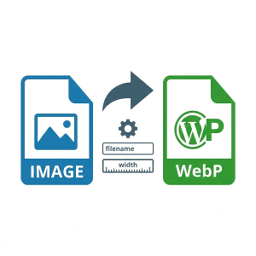
Intercepts image paste and drop in Gutenberg, converts them to WebP/PNG or keeps original formats, and inserts them into posts.
CHOOSE WHAT YOUR WEBSITE NEEDS
Start with the task you need to solve. Compare features, WordPress and PHP requirements, update history and the author’s documentation. Test changes on a private copy and avoid adding several plugins for the same job.
This independent directory displays plugin information on WebFulHost and links to the official source. Packages are not mirrored or installed here. A plugin can include paid extensions or services with separate terms from its author.
