

A one-click, user-friendly WordPress plugin for effortlessly importing theme demos and customizing your website in no time.
★ 5.0/5 (2)2,000+ active installations
- Version
- 2.0.2
- WordPress
- 5.5+
- PHP
- 7.4+
- Updated
- 27 Jul 2026
WORDPRESS RESOURCES
Explore public plugin information from the official WordPress.org directory. Compare what a plugin does, its requirements and update history before adding it to your website.
Explore WordPress hosting →10,000 matching plugins reported by WordPress.org · Page 3 of 50
Source: WordPress.org
Data refreshed 24 Nov 2026 05:33 UTC
A one-click, user-friendly WordPress plugin for effortlessly importing theme demos and customizing your website in no time.
The Click To Copy Block plugin offers a seamless Gutenberg block for one-click content copying.
Boost your website performance and page speed, and increase conversions with powerful caching, frontend, media, and environment optimizations.
Get more shares on social: add one-click shareable quote boxes to any post so readers can share your best lines on Social Media in one click.

By Saad Iqbal
Secure and customize your WordPress login page with a custom login URL, 2FA, CAPTCHA, and more.

By LiteSpeed Technologies
All-in-one unbeatable acceleration & PageSpeed improvement: caching, image/CSS/JS optimization...

By iSaumya
One plugin to save your AdSense account from Click Bombings and Invalid Click Activities

Install Post SMTP (WordPress SMTP Plugin) to fix WordPress email delivery. Connect Gmail SMTP, Microsoft 365, Brevo, SendGrid, Zoho, Amazon SES, etc.
Disable right click, text selection and copy paste. Content copy protection for WordPress: protect text and images, prevent copying, add watermarks.

By Rank Math SEO
Grow your organic traffic and AI visibility with powerful SEO tools, XML sitemaps, Schema automation, and built-in AI SEO, all in one place.

Video gallery plugin for WordPress with a built-in HTML5 player. Embed YouTube, Vimeo, Dailymotion, Rumble, and self-hosted videos.
By Scott Reilly
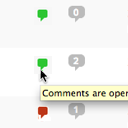
Conveniently close or open comments for a post or page with one click from the admin listing of posts.
CHOOSE WHAT YOUR WEBSITE NEEDS
Start with the task you need to solve. Compare features, WordPress and PHP requirements, update history and the author’s documentation. Test changes on a private copy and avoid adding several plugins for the same job.
This independent directory displays plugin information on WebFulHost and links to the official source. Packages are not mirrored or installed here. A plugin can include paid extensions or services with separate terms from its author.



