

AI-powered WordPress directory plugin to build a business directory or classified ads site: maps, reviews, radius search, paid listings. No coding.
★ 4.8/5 (138)8,000+ active installations
- Version
- 6.3.0
- WordPress
- 6.0+
- PHP
- 7.4+
- Updated
- 16 Nov 2026
WORDPRESS RESOURCES
Explore public plugin information from the official WordPress.org directory. Compare what a plugin does, its requirements and update history before adding it to your website.
Explore WordPress hosting →869 matching plugins reported by WordPress.org · Page 3 of 50
Source: WordPress.org
Data refreshed 20 Nov 2026 19:28 UTC
AI-powered WordPress directory plugin to build a business directory or classified ads site: maps, reviews, radius search, paid listings. No coding.
Show a second product image on hover in your WooCommerce shop: fade, slide or zoom, gallery rotation, arrows and a lightbox.

By globus2008
Run doubles and singles tournaments where players get a new partner every match: fair draws, live results, standings and an Android app.
Extend Elementor with 68+ widgets, 114 prebuilt demos, Mega Menu Builder, Theme Builder, and advanced interactive effects.
Place Google AdSense, any ad network and your own banner ads anywhere: Auto Ads, placements, ads.txt, Consent Mode v2. Switch plugins in one click.
By fuzzoid
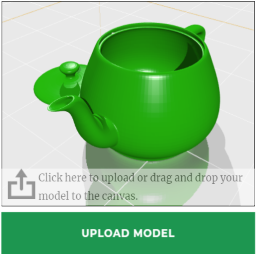
A plugin for selling 3D printing services.
Enhance the power of your WordPress editor with the dynamic Gutenberg blocks by BlockArt Blocks. Build any layout imaginable.
Labels plugin for WooCommerce. Create labels/badges with custom styles and text for any of your WooCommerce products.
HappyAddons packs Header Footer Builder, Megamenu, Single Post, Archive Page, & 500+ Ready Templates into one powerful Elementor Addons plugin.

By kgmservizi
Take control of WordPress image handling. Disable unused thumbnail sizes, set a custom threshold, change JPEG quality and stop EXIF auto-rotation — al …
Photo Gallery is a powerful image gallery plugin with a list of advanced options for creating responsive image galleries with beautiful lightbox.

By berkux
Monitor PHP memory usage, set alert thresholds, and diagnose your server configuration — directly inside WordPress admin.
CHOOSE WHAT YOUR WEBSITE NEEDS
Start with the task you need to solve. Compare features, WordPress and PHP requirements, update history and the author’s documentation. Test changes on a private copy and avoid adding several plugins for the same job.
This independent directory displays plugin information on WebFulHost and links to the official source. Packages are not mirrored or installed here. A plugin can include paid extensions or services with separate terms from its author.






