

Intuitive Custom Post Order
By hijiri
Intuitively reorder Posts, Pages, Custom Post Types, Taxonomies, and Sites with a simple drag-and-drop interface.
★ 4.4/5 (139)400,000+ active installations
- Version
- 3.2.0
- WordPress
- 3.5.0+
- Updated
- 16 Sep 2025
WORDPRESS RESOURCES
Explore public plugin information from the official WordPress.org directory. Compare what a plugin does, its requirements and update history before adding it to your website.
Explore WordPress hosting →8,475 matching plugins reported by WordPress.org · Page 3 of 50
Source: WordPress.org
Data refreshed 21 Nov 2026 05:32 UTC
By hijiri
Intuitively reorder Posts, Pages, Custom Post Types, Taxonomies, and Sites with a simple drag-and-drop interface.
By Nitin Prakash
Allow customers to place orders without payment. Ideal for pay-later, B2B, wholesale, and quote-based checkout workflows.

By David Anderson / Team Updraft
Backup, restore or migrate your WordPress website to another host or domain. Schedule backups or run manually. Migrate in minutes.

By Matt Cromwell
A simple and easy way to reorder your custom post types within terms in WordPress.

By Chouby
Go multilingual in a simple and efficient way. Keep writing posts and taxonomy terms as usual while defining their languages all at once.

By John James Jacoby
Assign colors to categories, tags, and other taxonomy terms.

By Fahad Mahmood
Merge and manage WooCommerce orders with ease.
By scribu
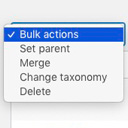
Allows you to merge terms, move terms between taxonomies, and set term parents, individually or in bulk.
Duplicate post, post order, image resize, email via SMTP, admin menu editor, custom css / code, disable gutenberg and much more in a single plugin.

By JS Morisset
Show WooCommerce order metadata in a metabox when editing HPOS orders - a great tool for debugging issues with HPOS order metadata.

By Fahad Mahmood
A great plugin to split WooCommerce orders. You can duplicate orders as well.

By Árpád Lehel Mátyus
Creates a popup with a scrollable window that will show your own custom Terms and Conditions when users logs in to your website.
CHOOSE WHAT YOUR WEBSITE NEEDS
Start with the task you need to solve. Compare features, WordPress and PHP requirements, update history and the author’s documentation. Test changes on a private copy and avoid adding several plugins for the same job.
This independent directory displays plugin information on WebFulHost and links to the official source. Packages are not mirrored or installed here. A plugin can include paid extensions or services with separate terms from its author.
