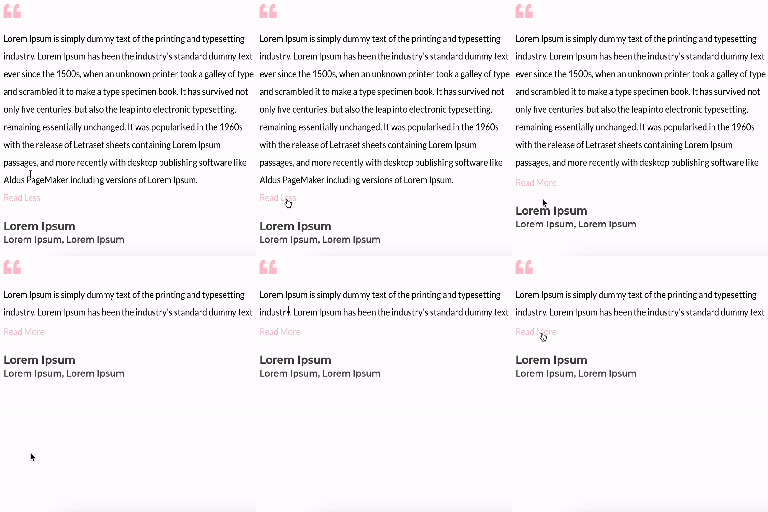
Unfold Text is a straightforward yet powerful add-on for Elementor that allows you to expand and collapse text with ease.
★ 4.6/5 (7)3,000+ active installations
- Version
- 1.2.1
- WordPress
- 6.0+
- PHP
- 7.0+
- Updated
- 8 Jul 2026
View plugin details ↗Allows to add animations to block editor blocks on scroll.
★ 4.8/5 (27)10,000+ active installations
- Version
- 1.2.7
- WordPress
- 6.6+
- PHP
- 8.1+
- Updated
- 20 Aug 2026
View plugin details ↗Bulk-generate WCAG-friendly image alt text with AI — no API key needed. Every site gets free monthly credits for accessibility (ADA/EAA compliance) an …
★ 4.9/5 (7)3,000+ active installations
- Version
- 2.7.3
- WordPress
- 4.6+
- PHP
- 7.0+
- Updated
- 15 Nov 2026
View plugin details ↗Outputs legal texts via shortcode and Gutenberg block — manually entered or synchronised from the eRecht24 API.
★ 5.0/5 (1)50,000+ active installations
- Version
- 4.1.2
- WordPress
- 6.3+
- PHP
- 7.4+
- Updated
- 12 Oct 2026
View plugin details ↗Smooth, accessible scrolling announcement bars and news tickers for your header, footer or any page. Live preview, block and Elementor widget.
★ 4.6/5 (5)5,000+ active installations
- Version
- 2.0.3
- WordPress
- 6.3+
- PHP
- 7.4+
- Updated
- 4 Nov 2026
View plugin details ↗The Elementor Website Builder has it all: drag and drop page builder, Atomic Editor, pixel perfect design, global and reusable style systems, mobile r …
★ 4.5/5 (7,327)10,000,000+ active installations
- Version
- 4.4.1
- WordPress
- 6.8+
- PHP
- 7.4+
- Updated
- 16 Nov 2026
View plugin details ↗This plugin allows you to automatically generate an Alt Text for images uploaded into the media library via AI.
★ 5.0/5 (8)4,000+ active installations
- Version
- 3.0.3
- WordPress
- 6.2.0+
- PHP
- 7.4+
- Updated
- 24 Aug 2026
View plugin details ↗Custom blocks for WordPress made easy.
★ 4.5/5 (21)10,000+ active installations
- Version
- 1.7.4
- WordPress
- 6.0+
- PHP
- 7.0+
- Updated
- 19 Oct 2026
View plugin details ↗Allows to add HTML attributes to Gutenberg blocks.
★ 5.0/5 (21)4,000+ active installations
- Version
- 1.0.15
- WordPress
- 6.2+
- PHP
- 7.4+
- Updated
- 20 Aug 2026
View plugin details ↗PublishPress Blocks is the complete solution for the WordPress block editor. Control block permissions, styles, conditional visibility and usage.
★ 4.7/5 (205)20,000+ active installations
- Version
- 3.7.8
- WordPress
- 5.5+
- PHP
- 7.2.5+
- Updated
- 17 Nov 2026
View plugin details ↗Find and fix missing Alt Text quickly and easily! Export a CSV of all images (and their Alt Text) that are actually used in your content.
★ 5.0/5 (10)800+ active installations
- Version
- 0.4.0
- Updated
- 23 Jul 2026
View plugin details ↗Build eCommerce sites & boost your earnings with the WooCommerce Builder, WooCommerce Blocks, and more effective features.
★ 4.6/5 (114)4,000+ active installations
- Version
- 4.6.4
- WordPress
- 6.8+
- PHP
- 7.4+
- Updated
- 12 Nov 2026
View plugin details ↗