Create custom interactive maps with free Leaflet-based styles, no Google Maps API key, frontend marker submissions, search and filters.
★ 5.0/5 (70)10,000+ active installations
- Version
- 1.4.58
- WordPress
- 5.5+
- PHP
- 7.0+
- Updated
- 12 Nov 2026
View plugin details ↗A simple way to prevent search engines and the public from indexing and accessing your files without complex user authentication.
★ 4.6/5 (298)10,000+ active installations
- Version
- 2.8.9.2
- WordPress
- 4.7+
- PHP
- 7.0+
- Updated
- 20 Nov 2026
View plugin details ↗Hide the WordPress admin bar by user role, block wp-admin access, redirect after login, and tidy the admin menu and notices for each role.
★ 3.9/5 (21)20,000+ active installations
- Version
- 7.5.0
- WordPress
- 5.5+
- PHP
- 5.6+
- Updated
- 12 Oct 2026
View plugin details ↗Use any image from your WordPress Media Library as a custom user avatar or user profile picture. Add your own Default Avatar.
★ 4.7/5 (41)100,000+ active installations
- Version
- 2.5.6
- WordPress
- 4.0+
- Updated
- 21 Aug 2026
View plugin details ↗Hide custom menu items based on user roles.
★ 4.9/5 (219)70,000+ active installations
- Version
- 3.0.0
- WordPress
- 6.6.0+
- PHP
- 7.4+
- Updated
- 30 Oct 2026
View plugin details ↗Menu By User Roles allows you to control the visibility of menu items based on user roles.
★ 5.0/5 (3)1,000+ active installations
- Version
- 2.0.5
- WordPress
- 5.0+
- PHP
- 7.0+
- Updated
- 14 Oct 2026
View plugin details ↗Take full control of your WordPress admin bar: hide items, reorder menus, and design a cleaner toolbar for every user.
★ 4.4/5 (24)3,000+ active installations
- Version
- 1.1.12
- WordPress
- 5.0+
- PHP
- 7.0+
- Updated
- 15 Oct 2026
View plugin details ↗This plugin has been developed for creating user roles from the WordPress admin area and assigning the arbitrary access rights to them.
★ 5.0/5 (2)600+ active installations
- Version
- 1.0.17
- WordPress
- 4.8+
- PHP
- 5.6+
- Updated
- 31 Oct 2026
View plugin details ↗Turn your site into a powerful membership solution. Manage members, teams and access to content easily.
★ 4.8/5 (382)10,000+ active installations
- Version
- 4.9.0
- WordPress
- 6.7+
- PHP
- 7.4+
- Updated
- 4 Nov 2026
View plugin details ↗Paid membership & LMS plugin. Sell courses, subscriptions & digital products, paywall content, and add login & registration forms and user profiles.
★ 3.1/5 (938)100,000+ active installations
- Version
- 4.18.1
- WordPress
- 6.9+
- PHP
- 8.0+
- Updated
- 12 Nov 2026
View plugin details ↗Duplicate post, post order, image resize, email via SMTP, admin menu editor, custom css / code, disable gutenberg and much more in a single plugin.
★ 5.0/5 (423)200,000+ active installations
- Version
- 9.3.3
- WordPress
- 4.6+
- PHP
- 5.6+
- Updated
- 16 Nov 2026
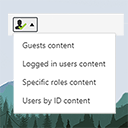
View plugin details ↗The simplest way of controlling who sees what in your posts/pages. Restrict content to logged in users only (or guests, or by roles) with simple short …
★ 4.9/5 (13)1,000+ active installations
- Version
- 2.3
- WordPress
- 3.6+
- Updated
- 29 Jan 2026
View plugin details ↗