

WP Table Builder – Drag & Drop Table Builder
By WP Table Builder
Drag and Drop Table Builder Plugin. Build Responsive Tables Easily.
★ 4.8/5 (681)50,000+ active installations
- Version
- 2.3.1
- WordPress
- 4.9+
- PHP
- 7.4+
- Updated
- 13 Nov 2026
WORDPRESS RESOURCES
Explore public plugin information from the official WordPress.org directory. Compare what a plugin does, its requirements and update history before adding it to your website.
Explore WordPress hosting →516 matching plugins reported by WordPress.org · Page 30 of 43
Source: WordPress.org
Data refreshed 22 Nov 2026 23:37 UTC
By WP Table Builder
Drag and Drop Table Builder Plugin. Build Responsive Tables Easily.

By ShapedPlugin LLC
Image carousel, slider, and slideshow blocks with AI and ready patterns. Photo gallery, video slider, post and WooCommerce product carousels.

By sathish27
On-page SEO plus AI search tools: titles, schema, live checks, IndexNow, AI crawler controls, FAQ and HowTo schema, and page audits.

By This Is My URL
Hides admin notices in wp-admin, with a per-plugin allowlist and a one-request administrator bypass.

By trex2026
Add a one-click PC & smartphone simultaneous preview to the Gutenberg block editor.

By Jordy Meow
The elegant lightbox built for photographers. Fast, responsive, and displays your photos beautifully with EXIF data and maps. You'll love it! 💕

By webbiztw
Essential toolkit for WordPress bloggers: text highlights, spoiler masks, auto-spacing, and interactive Q&A blocks.
By moayyed alharthi
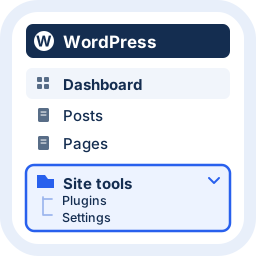
Help clients find everyday work with clear admin menu groups, live preview and easy recovery.

By Suman Basuli
Your AI agent for WordPress. Create pages, update content, manage plugins, and automate everyday tasks by simply asking.

By Utkarsh
A fake cursor moves, marks, or types the text that you select, when the text scrolls into view.

WordPress form builder to create lightweight contact forms, survey forms, feedback forms, booking forms, etc., right inside the block editor.

By Ashraful Sarkar Naiem
Create product bundles for WooCommerce with fixed pricing, automatic savings, stock sync, Gutenberg block, Elementor widget and analytics.
CHOOSE WHAT YOUR WEBSITE NEEDS
Start with the task you need to solve. Compare features, WordPress and PHP requirements, update history and the author’s documentation. Test changes on a private copy and avoid adding several plugins for the same job.
This independent directory displays plugin information on WebFulHost and links to the official source. Packages are not mirrored or installed here. A plugin can include paid extensions or services with separate terms from its author.