

LoftLoader
By loftocean
An easy to use plugin to add an animated preloader to your website with fully customisations.
★ 4.5/5 (33)70,000+ active installations
- Version
- 2.5.3
- WordPress
- 6.0+
- PHP
- 5.6+
- Updated
- 18 May 2026
WORDPRESS RESOURCES
Explore public plugin information from the official WordPress.org directory. Compare what a plugin does, its requirements and update history before adding it to your website.
Explore WordPress hosting →10,000 matching plugins reported by WordPress.org · Page 30 of 50
Source: WordPress.org
Data refreshed 26 Nov 2026 07:45 UTC
By loftocean
An easy to use plugin to add an animated preloader to your website with fully customisations.

By Mailchimp
Add a Mailchimp signup form block, widget, or shortcode to your WordPress site.
Want to increase your WooCommerce average order value? This plugin allows you to set minimum order value for your entire store, specific user roles, and for the free shipping. Start optimizing your sales today!

By Tsambasis & Tsambasis
Show Google Maps after consent, with custom styles, text sizes, optional remembered consent and grouped loading for multiple maps.

By Stefano Picco
Copy&Paste Cleaner. Cleanup the code in post and page editor after using copy&paste content from different sources.
Customize your WooCommerce thank you page. Redirect customers after purchase based on products, categories, payment methods & more.

By required
Disable sidebar and dashboard widgets with an easy to use interface.
By HappyKite
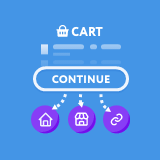
Easily change the 'Continue Shopping' link when redirected to the Cart after adding a Product.

By ta_terunuma
zipaddr-jp is a collaborative tool that automatically inputs addresses from postal codes.

By Niloy - Codeixer
Buy Now Button for WooCommerce allowing customers to add products to the cart and proceed to checkout in one step.

By Ali Khallad
Reduce abandonment and allows guest users to register after checkout with one-click.

FunnelKit Cart adds a beautiful sliding cart to your WooCommerce store. Let the buyers add items, edit quantity and add upsells on the side cart.
CHOOSE WHAT YOUR WEBSITE NEEDS
Start with the task you need to solve. Compare features, WordPress and PHP requirements, update history and the author’s documentation. Test changes on a private copy and avoid adding several plugins for the same job.
This independent directory displays plugin information on WebFulHost and links to the official source. Packages are not mirrored or installed here. A plugin can include paid extensions or services with separate terms from its author.

