Convert PDFs into interactive flipbooks inside WordPress. Ideal for catalogs, brochures, magazines, menus, eBooks and documents.
★ 5.0/5 (3)400+ active installations
- Version
- 2.0.1
- WordPress
- 5.0+
- PHP
- 7.2+
- Updated
- 12 Nov 2026
View plugin details ↗Stop guessing. Start converting. The native A/B testing and personalization platform for the WordPress Block Editor.
★ 5.0/5 (1)30+ active installations
- Version
- 4.4.1
- WordPress
- 6.4+
- PHP
- 8.2+
- Updated
- 19 Nov 2026
View plugin details ↗Display a Scratch Card on your website to offer visitors a chance to win prizes. A fun incentive to boost conversions!
★ 4.7/5 (30)100+ active installations
- Version
- 3.1.0
- WordPress
- 3.0.1+
- Updated
- 12 Nov 2026
View plugin details ↗Tiktok Feed Widgets. Display your Tiktok feed on your website to increase engagement, sales and SEO.
★ 5.0/5 (1)100+ active installations
- Version
- 1.8.3
- WordPress
- 6.2+
- PHP
- 7.2+
- Updated
- 1 Nov 2026
View plugin details ↗Securely Store and Manage CF7 Submissions Hassle-Free
★ 4.0/5 (4)2,000+ active installations
- Version
- 0.27
- WordPress
- 6.0+
- PHP
- 7.4+
- Updated
- 15 Apr 2026
View plugin details ↗Create smooth Elementor marquee sliders, logo marquees, news tickers, image box & icon box, post scrollers, testimonials & WooCommerce marquees.
★ 4.7/5 (6)2,000+ active installations
- Version
- 1.1.3
- WordPress
- 5.0+
- PHP
- 7.4+
- Updated
- 1 Aug 2026
View plugin details ↗All-in-one conversion optimization toolkit for WooCommerce stores.
0+ active installations
- Version
- 0.1.1
- WordPress
- 6.0+
- PHP
- 7.4+
- Updated
- 17 Mar 2026
View plugin details ↗Experience Darklup — Your WordPress ally for dark mode, dark themes, night mode and accessibility. Switch to an eye-friendly more inclusive web experi …
★ 4.5/5 (44)1,000+ active installations
- Version
- 4.0.1
- WordPress
- 6.5+
- PHP
- 7.4+
- Updated
- 17 Aug 2026
View plugin details ↗Henkan is a high-performance plugin that automatically converts your media library images to next-generation formats like WebP and AVIF.
★ 5.0/5 (1)10+ active installations
- Version
- 2.5.1
- WordPress
- 7.1+
- PHP
- 8.4+
- Updated
- 4 Nov 2026
View plugin details ↗Allows you to access all images on the WordPress site and remove their background.
★ 5.0/5 (2)300+ active installations
- Version
- 2.0.2
- WordPress
- 5.2+
- PHP
- 7.2+
- Updated
- 12 Nov 2026
View plugin details ↗Convert JPEG and PNG media library images to WebP through the built-in optimization service.
50+ active installations
- Version
- 1.0.0
- WordPress
- 5.8+
- PHP
- 8.1+
- Updated
- 5 Jul 2026
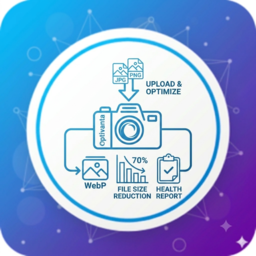
View plugin details ↗Optimize and analyze your WordPress images with local compression, WebP conversion, image health reports, optimization statistics, and no external API …
0+ active installations
- Version
- 1.2.0
- WordPress
- 5.8+
- PHP
- 7.4+
- Updated
- 14 Aug 2026
View plugin details ↗