Relevanssi replaces the default search with a partial-match search that sorts results by relevance. It also indexes comments and shortcode content.
★ 4.8/5 (406)100,000+ active installations
- Version
- 4.28.8
- WordPress
- 4.9+
- PHP
- 7.1+
- Updated
- 30 Oct 2026
View plugin details ↗Output media's sitemap for Google.
★ 2.8/5 (4)100+ active installations
- Version
- 2.07
- WordPress
- 4.7+
- PHP
- 8.0+
- Updated
- 16 Aug 2026
View plugin details ↗The Best Ajax Live Search and Filter for WordPress. Live suggestions, Custom Post types, Custom fields, Categories, WooCommerce & Elementor support
★ 4.8/5 (266)70,000+ active installations
- Version
- 4.14.7
- WordPress
- 3.5+
- PHP
- 7.4+
- Updated
- 19 Oct 2026
View plugin details ↗Set up consent management and tracking tools in minutes instead of days. Integrations with Google Analytics, Google Ads, Meta Pixel, GTM, and more.
★ 5.0/5 (21)3,000+ active installations
- Version
- 11.0.3
- WordPress
- 6.2.2+
- PHP
- 8.1+
- Updated
- 4 Nov 2026
View plugin details ↗
By Room 34 Creative Services, LLC
Add the calendar you already use to any WordPress site! Google Calendar, Microsoft 365, iCloud and more… no API keys or complicated setup required.
★ 4.9/5 (72)10,000+ active installations
- Version
- 12.3.0
- WordPress
- 5.3+
- PHP
- 8.1+
- Updated
- 29 Oct 2026
View plugin details ↗Easily manage, and schedule ads on your WordPress site with AdRotate. Support for Google AdSense, Amazon, and custom banners. Start monetizing today!
★ 4.3/5 (655)20,000+ active installations
- Version
- 5.19.4
- WordPress
- 4.9+
- PHP
- 8.0+
- Updated
- 12 Nov 2026
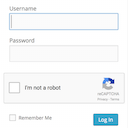
View plugin details ↗Adds a Google No Captcha ReCaptcha checkbox to your Wordpress and Woocommerce login, forgot password, and user registration pages.
★ 4.5/5 (63)50,000+ active installations
- Version
- 1.8.1
- WordPress
- 4.6+
- PHP
- 7.4+
- Updated
- 26 May 2026
View plugin details ↗Optimize WordPress articles for Google Discover and Google News. Newsroom OS 2.9+ includes the full publisher stack for free: NewsArticle schema, Sear …
40+ active installations
- Version
- 2.9.0
- WordPress
- 5.8+
- PHP
- 7.4+
- Updated
- 23 Aug 2026
View plugin details ↗Add Google Analytics code to WordPress website and track basic stats.
★ 4.7/5 (23)1,000+ active installations
- Version
- 2.0
- WordPress
- 5.6+
- PHP
- 7.4+
- Updated
- 9 Jun 2025
View plugin details ↗Make SMTP email sending and delivery easy. Configure Gmail SMTP, Outlook, Brevo, SendGrid, Mailgun, SendLayer or connect to any SMTP server.
★ 4.6/5 (710)500,000+ active installations
- Version
- 2.15.1
- WordPress
- 5.5+
- PHP
- 7.4+
- Updated
- 12 Aug 2026
View plugin details ↗Protect Contact Form 7 forms from spam with Google reCAPTCHA v2, reCAPTCHA v3, hCaptcha or Cloudflare Turnstile.
★ 4.1/5 (48)100,000+ active installations
- Version
- 0.2.0
- WordPress
- 6.2+
- Updated
- 24 Sep 2026
View plugin details ↗Use Advanced File Manager to manage WordPress files, create archives, monitor storage limits, and build document libraries all directly from your Word …
★ 4.8/5 (443)100,000+ active installations
- Version
- 6.0.0
- WordPress
- 4.0+
- PHP
- 7.0+
- Updated
- 14 Oct 2026
View plugin details ↗