
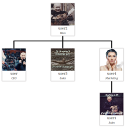
Simple Org Chart
By G Matta
Drag-and-drop organization chart for WordPress. Display your team hierarchy with a shortcode.
★ 4.8/5 (22)900+ active installations
- Version
- 2.3.6
- WordPress
- 6.0+
- PHP
- 8.0+
- Updated
- 28 Jul 2026
WORDPRESS RESOURCES
Explore public plugin information from the official WordPress.org directory. Compare what a plugin does, its requirements and update history before adding it to your website.
Explore WordPress hosting →1,384 matching plugins reported by WordPress.org · Page 30 of 50
Source: WordPress.org
Data refreshed 28 Nov 2026 20:31 UTC
By G Matta
Drag-and-drop organization chart for WordPress. Display your team hierarchy with a shortcode.

By YoOhw Studio
Customize customer profiles and account menus, protect sign-in, manage verification, and control member-only content.

By Jeroen Peters
Name directory (glossary) with many options like multiple directories, integrated search, non-latin characters, recaptcha, HTML editor and many more.

By videowhisper
Create searchable photo galleries with frontend uploads, built-in image editing, four layouts and full-screen browsing.

By Kodezen LLC
GemBoards is a project and task management plugin that helps teams manage projects, Kanban boards, and team tasks from one place.

By Sabbir Sam
Admin Firebase Support & Chat Management tool with real-time communication for WordPress.

By Randy Breland
Complete church management and CRM for sermons, donations, and ministry coordination inside WordPress.
The official PayPal Enterprise Payments extension for WooCommerce. Accept credit cards, PayPal, Apple Pay, Google Pay, Venmo, ACH Direct Debit, BNPL, …

By WCBoost
WCBoost - Wishlist lets shoppers create wishlists for later purchases, reminding them of desired items, driving repeat visits and boost sales.

By David Garthe
Customize author slug, user nicename, author archive, and custom slug URLs with full WordPress route control.

By Michael Nelson
Make printing your blog easy and impressive. For you & your visitors. One post or thousands.

By Novalnet
Novalnet payment plugin provides all popular online payment methods for your WooCommerce webshop.
CHOOSE WHAT YOUR WEBSITE NEEDS
Start with the task you need to solve. Compare features, WordPress and PHP requirements, update history and the author’s documentation. Test changes on a private copy and avoid adding several plugins for the same job.
This independent directory displays plugin information on WebFulHost and links to the official source. Packages are not mirrored or installed here. A plugin can include paid extensions or services with separate terms from its author.
