
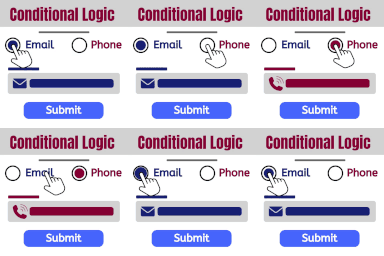
Show and hide fields. Send certain email, don't send others. Redirect to one of many pages. The possibilities are endless!
★ 4.3/5 (12)2,000+ active installations
- Version
- 2.4.3
- WordPress
- 2.0+
- PHP
- 5.2+
- Updated
- 16 Sep 2026
WORDPRESS RESOURCES
Explore public plugin information from the official WordPress.org directory. Compare what a plugin does, its requirements and update history before adding it to your website.
Explore WordPress hosting →4,909 matching plugins reported by WordPress.org · Page 33 of 50
Source: WordPress.org
Data refreshed 25 Nov 2026 08:04 UTC
Show and hide fields. Send certain email, don't send others. Redirect to one of many pages. The possibilities are endless!

By Petra Blankwaard
You can link Mollie to Gravity Forms with GF Mollie by Indigo.

By VillaTheme
Easily import/manage your tracking numbers, add tracking numbers to PayPal and send email notifications to customers.

By David Vongries
Free & simple SMTP plugin: send WordPress emails through your SMTP server or Mailjet, log every email and customize the welcome emails.

By Bilal TAS
Your custom SASS, CSS, JS, PHP and HTML customizations in same directory.

By Benjamin Intal
The complete website builder for the WordPress block editor. Build professional sites faster with powerful blocks, block styles, and a global design s …

By wpbranddigital
Create sticky notice bars, announcement banners, sales countdowns, and CTA alerts directly in the WordPress Block Editor.

By Noor Alam
Easily accept payment in WordPress by adding a PayPal button to your website.

By Elliot Sowersby / RelyWP
The most powerful affiliate plugin for WooCommerce. Track commission, generate referral URLs, assign affiliate coupons, and display detailed stats.

By WPMU DEV - Your All-in-One WordPress Platform
Optimize PageSpeed Performance & Core Web Vitals, Advanced Cache, Minify CSS & JavaScript, Inline Critical CSS, Defer CSS & JS, Smush & Lazy Load, CDN
Extend Elementor with 68+ widgets, 114 prebuilt demos, Mega Menu Builder, Theme Builder, and advanced interactive effects.

By WP Folio Team
Password protect WordPress pages and posts by user roles or with multiple passwords; protect your entire website with a single password.
CHOOSE WHAT YOUR WEBSITE NEEDS
Start with the task you need to solve. Compare features, WordPress and PHP requirements, update history and the author’s documentation. Test changes on a private copy and avoid adding several plugins for the same job.
This independent directory displays plugin information on WebFulHost and links to the official source. Packages are not mirrored or installed here. A plugin can include paid extensions or services with separate terms from its author.
