

WP Fastest Cache – WordPress Cache Plugin
By Emre Vona
The simplest and fastest WP Cache system
★ 4.9/5 (4,235)1,000,000+ active installations
- Version
- 1.5.5
- WordPress
- 5.7+
- Updated
- 5 Nov 2026
WORDPRESS RESOURCES
Explore public plugin information from the official WordPress.org directory. Compare what a plugin does, its requirements and update history before adding it to your website.
Explore WordPress hosting →4,679 matching plugins reported by WordPress.org · Page 33 of 50
Source: WordPress.org
Data refreshed 26 Nov 2026 06:23 UTC
By Emre Vona
The simplest and fastest WP Cache system

By Schweizer Solutions GmbH
GDPR opt-out link for Google Analytics 4 as block, Elementor and Divi module, with automatic status check, uptime monitoring API and webhooks.

By Mubashir Taqi
Display LearnDash course, quiz & group certificates anywhere with a shortcode, Gutenberg block, or Elementor widget.
By berkux
Load JSON data via API, display it on your WordPress site, and auto-refresh it at custom intervals — without reloading the page.

By Atakan Au
Quickly deactivate all active plugins with one click – ideal for troubleshooting plugin conflicts.

By a 53 minute production
Adds drag and drop multi-file plugin uploads to the Plugins list, installer, and upload result pages in wp-admin.

By Fernando Tellado
Monitor 60+ AI crawlers, control access via robots.txt, and boost your AI visibility with llms.txt, JSON-LD, Markdown for Agents & Visibility Score.

By Happy Coders
Allow logged-in WooCommerce customers to manage multiple addresses in an address book and select them easily during checkout.

By Alex
Enterprise-grade WordPress security: WAF, brute force protection, malware scanner, 2FA, honeypots, AI crawler control, and post-breach recovery.
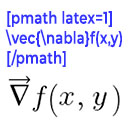
By Ron Fredericks
Render mathematical equations in WordPress as PNG images using pmath native syntax or LaTeX input with server-side rendering.

By Pomnex
Checks your important pages after every update and emails you if something broke, so you know before your customers tell you.

By wdonlinedk
See who is on your WordPress site right now and which pages they are viewing, directly from the WordPress dashboard.
CHOOSE WHAT YOUR WEBSITE NEEDS
Start with the task you need to solve. Compare features, WordPress and PHP requirements, update history and the author’s documentation. Test changes on a private copy and avoid adding several plugins for the same job.
This independent directory displays plugin information on WebFulHost and links to the official source. Packages are not mirrored or installed here. A plugin can include paid extensions or services with separate terms from its author.