Lightweight conditional widget visibility. Show or hide widgets by page, URL, post type, category, user role, login status, device and schedule.
★ 5.0/5 (6)300+ active installations
- Version
- 1.6.0
- WordPress
- 6.2+
- PHP
- 7.4+
- Updated
- 6 Nov 2026
View plugin details ↗Add code snippets, header & footer scripts and custom HTML, CSS, JS & PHP — site-wide or by shortcode and block, no theme edits.
★ 4.9/5 (32)10,000+ active installations
- Version
- 5.0.2
- WordPress
- 5.3+
- PHP
- 7.4+
- Updated
- 16 Nov 2026
View plugin details ↗Fully automatic sidebar menus.
★ 4.5/5 (37)10,000+ active installations
- Version
- 9.9.0
- WordPress
- 6.2.0+
- PHP
- 7.4.0+
- Updated
- 16 Nov 2026
View plugin details ↗This plugin automatically performs several front end optimizations to your site to boost performance and increase PageSpeed scores.
★ 4.4/5 (69)4,000+ active installations
- Version
- 6.1.1
- WordPress
- 6.7.0+
- PHP
- 8.1+
- Updated
- 19 Oct 2026
View plugin details ↗Formerly known as Facebook wall and social integration allows you to display completely customizable Facebook feed of any public Facebook page or grou …
★ 5.0/5 (5)200+ active installations
- Version
- 1.13
- WordPress
- 3.1+
- Updated
- 7 Oct 2026
View plugin details ↗Powerful Table, Form & Mail Automations. Form Entry Management (+ frontend table ), integrate with MailChimp, G Sheets, CF7, WPForms, Elementor, etc.
★ 4.8/5 (89)7,000+ active installations
- Version
- 1.2.16
- WordPress
- 6.7+
- PHP
- 7.2+
- Updated
- 4 Nov 2026
View plugin details ↗For anyone who wants Font Awesome icons in the block editor without class names or a heavy icon font: search, click, done. Free icons render as SVG.
★ 3.7/5 (6)1,000+ active installations
- Version
- 1.8.0
- WordPress
- 7.1+
- PHP
- 8.0+
- Updated
- 19 Nov 2026
View plugin details ↗Bulk generate multiple Pages using dynamic content.
★ 4.6/5 (70)3,000+ active installations
- Version
- 1.8.8
- WordPress
- 5.0+
- PHP
- 7.4+
- Updated
- 23 Nov 2026
View plugin details ↗50+ blocks to create rich sections in the Gutenberg editor. Use professional starter block patterns & templates to create websites within minutes.
★ 4.8/5 (17)3,000+ active installations
- Version
- 2.3.0
- WordPress
- 5.0+
- PHP
- 5.6+
- Updated
- 6 Oct 2026
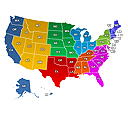
View plugin details ↗Create engaging Interactive United States Maps in WordPress for free. It's easy to install, simple, and highly customizable.
★ 5.0/5 (5)300+ active installations
- Version
- 3.4.8
- WordPress
- 3.3+
- PHP
- 5.3.3+
- Updated
- 25 Aug 2026
View plugin details ↗40+ free Elementor widgets plus extensions: form stylers for Contact Form 7, WPForms and Gravity Forms, Instagram feed, display conditions, templates.
★ 4.8/5 (361)70,000+ active installations
- Version
- 3.2.1
- WordPress
- 6.8+
- PHP
- 7.4+
- Updated
- 16 Nov 2026
View plugin details ↗WP Customer Area is a modular all-in-one solution to manage private content with WordPress.
★ 4.0/5 (89)10,000+ active installations
- Version
- 8.4.6
- WordPress
- 5.0+
- PHP
- 7.2+
- Updated
- 18 Nov 2026
View plugin details ↗