The original Elementor sticky header & sticky menu plugin. Transparent, fixed & scroll effects (blur, shrink, hide) on Elementor Free or Pro.
★ 4.5/5 (69)300,000+ active installations
- Version
- 2.2.3
- WordPress
- 6.3+
- PHP
- 7.4+
- Updated
- 18 Sep 2026
View plugin details ↗Generate PDF files and print WordPress posts/pages. Customize document header/footer styles and appearance.
★ 3.9/5 (102)9,000+ active installations
- Version
- 2.4.7
- WordPress
- 6.2+
- Updated
- 26 Apr 2026
View plugin details ↗Maximize your WordPress site's potential with our versatile HTML5 Audio Player plugin. Seamlessly play .mp3, .wav, .ogg, and more audio files.
★ 4.6/5 (170)10,000+ active installations
- Version
- 2.10.3
- WordPress
- 6.5+
- PHP
- 7.1+
- Updated
- 17 Nov 2026
View plugin details ↗All-in-one WordPress image optimization: disable thumbnails, compress, convert to WebP & AVIF, clean your media library, and offload images to a CDN.
★ 3.7/5 (122)20,000+ active installations
- Version
- 6.10.4
- WordPress
- 6.0+
- PHP
- 7.4+
- Updated
- 24 Nov 2026
View plugin details ↗Ultimate Last Modified Plugin for WordPress with Gutenberg support. Use shortcodes to show last modified info on WP 4.7+ sites.
★ 4.9/5 (857)40,000+ active installations
- Version
- 1.9.6
- WordPress
- 4.7+
- PHP
- 7.0+
- Updated
- 30 Jan 2026
View plugin details ↗Hide, disable, customize, or replace the WooCommerce Add to Cart button using conditional rules based on user role, cart content, country, and more.
★ 4.7/5 (7)600+ active installations
- Version
- 1.4.0
- WordPress
- 5.0+
- PHP
- 7.2+
- Updated
- 7 Oct 2026
View plugin details ↗Track UTM parameters in Contact Form 7 submissions automatically and identify which campaigns generate real leads from your marketing traffic.
★ 5.0/5 (2)400+ active installations
- Version
- 1.6
- WordPress
- 5.6+
- PHP
- 7.2+
- Updated
- 10 Jun 2026
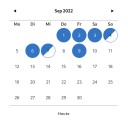
View plugin details ↗Simple calendar plugin for Elementor to show e.g. availability on different days. You can choose between different layouts, colors, create multiple ca …
★ 5.0/5 (3)500+ active installations
- Version
- 1.6.7
- WordPress
- 5.2+
- PHP
- 7.2+
- Updated
- 22 Jan 2026
View plugin details ↗Free 360 panorama viewer and virtual tour builder with 360 video, hotspots and Street View. Gutenberg, Elementor, WooCommerce, shortcode.
★ 4.3/5 (9)2,000+ active installations
- Version
- 1.9.0
- WordPress
- 6.5+
- PHP
- 7.1+
- Updated
- 18 Nov 2026
View plugin details ↗
By David Anderson / Team Updraft
Secure WordPress login with Two Factor Authentication - supports WP, Woo + other login forms, HOTP, TOTP (Google Authenticator, Authy, etc.)
★ 4.4/5 (77)20,000+ active installations
- Version
- 1.17.0
- WordPress
- 5.3+
- PHP
- 5.6+
- Updated
- 18 Nov 2026
View plugin details ↗Write posts, product copy and marketing content inside WordPress with your own OpenAI, Claude, OpenRouter or Deepseek key.
★ 3.8/5 (10)1,000+ active installations
- Version
- 2.1.1
- WordPress
- 6.2+
- PHP
- 7.4+
- Updated
- 4 Oct 2026
View plugin details ↗Inspect WordPress, PHP, database, caching, SSL, and server health from one administrator-only dashboard.
★ 3.8/5 (12)3,000+ active installations
- Version
- 1.1.1
- WordPress
- 5.5+
- PHP
- 7.3+
- Updated
- 23 Oct 2026
View plugin details ↗