
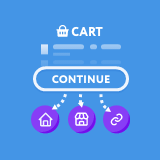
Continue Shopping for WooCommerce
By HappyKite
Easily change the 'Continue Shopping' link when redirected to the Cart after adding a Product.
★ 4.3/5 (12)4,000+ active installations
- Version
- 1.6.2
- WordPress
- 4.2+
- Updated
- 5 Sep 2025
WORDPRESS RESOURCES
Explore public plugin information from the official WordPress.org directory. Compare what a plugin does, its requirements and update history before adding it to your website.
Explore WordPress hosting →4,622 matching plugins reported by WordPress.org · Page 34 of 50
Source: WordPress.org
Data refreshed 28 Nov 2026 21:15 UTC
By HappyKite
Easily change the 'Continue Shopping' link when redirected to the Cart after adding a Product.

By oaron
Accessible online withdrawal form. Built for the EU Consumer Rights Directive update effective 19 June 2026.
Sell gift cards, gift vouchers and gift packages on your WordPress site. Customers design the card, pay online and receive a PDF by email.
A simple and flexible WooCommerce booking & reservation plugin to manage dates, availability and pricing on your products.

By quadlayers
WhatsApp Chat🔥 allows you to enhance customer engagement! Integrate "WhatsApp" or "WhatsApp Business" with a single click.

By artiosmedia
Hide the product's price, add-to-cart button, quantity, and options on any product and order. Inject an optional message.

All-in-one WooCommerce booster with 18+ powerful extensions to skyrocket conversions: Pre-Orders, Badges, Quick View, Buy Now, Trust Badges & more.

By BeRocket
Promote exclusive discounts, new products or free shipping. Create labels easily and quickly!

By Andrei Surdu
Create unlimited custom sidebars and widget areas. Display different sidebars on specific pages, posts, or custom post types with conditional logic.
Increase order revenue by showing your customers just how close they are to your free shipping threshold.

By Premmerce
The Premmerce Product Filter for WooCommerce plugin is a professional tool for managing filters with perfect Ajax and unique SEO features.

By Ido Navarro
Customers expect a fast and seamless shopping experience. Give shoppers the easiest way to make a purchase. The Buy Now Button for WooCommerce will he …
CHOOSE WHAT YOUR WEBSITE NEEDS
Start with the task you need to solve. Compare features, WordPress and PHP requirements, update history and the author’s documentation. Test changes on a private copy and avoid adding several plugins for the same job.
This independent directory displays plugin information on WebFulHost and links to the official source. Packages are not mirrored or installed here. A plugin can include paid extensions or services with separate terms from its author.


