

Secure WooCommerce payments with Multibanco, MB WAY, Credit card, Apple Pay, Google Pay, Payshop, and PIX via ifthenpay’s payment gateway.
★ 5.0/5 (21)8,000+ active installations
- Version
- 12.2.0
- WordPress
- 6.4+
- PHP
- 7.4+
- Updated
- 22 Oct 2026
WORDPRESS RESOURCES
Explore public plugin information from the official WordPress.org directory. Compare what a plugin does, its requirements and update history before adding it to your website.
Explore WordPress hosting →2,533 matching plugins reported by WordPress.org · Page 34 of 50
Source: WordPress.org
Data refreshed 24 Nov 2026 08:18 UTC
Secure WooCommerce payments with Multibanco, MB WAY, Credit card, Apple Pay, Google Pay, Payshop, and PIX via ifthenpay’s payment gateway.

By Self Coding
Add Google, Facebook, LinkedIn, Naver, Kakao, and Line social login to WordPress and WooCommerce.
The YITH WooCommerce Frequently Bought Together plugin lets you add product suggestions with a simple summary in each product page.
By codepeople
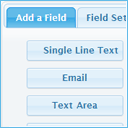
Create responsive contact and booking forms with a visual drag-and-drop form builder, inline validation, built-in CAPTCHA, and email delivery.

By Simply Static
Convert WordPress to static HTML. Boost performance 3-5x. Eliminate security vulnerabilities. Deploy anywhere.

By Ben Leow
Enable maintenance mode with one click. Logged-in users can view the site; others see a custom message or are redirected.

By paystack
Paystack for WooCommerce allows your WooCommerce store to accept secure payments from multiple local and global payment channels.
Accept Web3 Crypto Payments. Supports various tokens, blockchains and wallets. MetaMask, Phantom, USDC, USDT, ETH, SOL, BSC, POL, xDAI…

By adspair
POKY enables WooCommerce merchants to import products from 28+ platforms to your store

By Marcus (aka @msykes)
Easily add and manage custom meta tags to various parts of your site or on individual posts, such as Yahoo and Google verification tags.
Harden your site security with Login Security, Two-Factor Authentication (2FA), Vulnerability Scanner, Firewall, and more. Formerly iThemes Security.

By Bhavin Thummar
Hide or show sidebar and top admin bar menus for each user role to keep the WordPress dashboard clean.
CHOOSE WHAT YOUR WEBSITE NEEDS
Start with the task you need to solve. Compare features, WordPress and PHP requirements, update history and the author’s documentation. Test changes on a private copy and avoid adding several plugins for the same job.
This independent directory displays plugin information on WebFulHost and links to the official source. Packages are not mirrored or installed here. A plugin can include paid extensions or services with separate terms from its author.


