QuickSwish is an ultimate and exclusive WooCommerce plugin that allows you to create stunning quickview button for your WooCommerce store.
★ 5.0/5 (2)300+ active installations
- Version
- 1.1.3
- WordPress
- 5.0+
- Updated
- 30 Aug 2026
View plugin details ↗Public roadmap and feedback plugin for WordPress. Collect feature requests, let users vote with feature voting, and ship updates they can see.
★ 5.0/5 (1)40+ active installations
- Version
- 1.1.3
- WordPress
- 5.0+
- PHP
- 7.2+
- Updated
- 29 Aug 2026
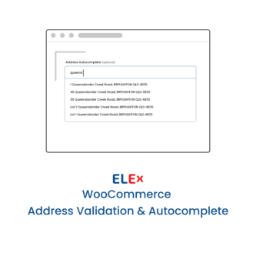
View plugin details ↗Simple and easy to use address validation & google address autocomplete plugin. Uses EasyPost, UPS, USPS, AddressFinder & Google APIs.
★ 4.2/5 (10)700+ active installations
- Version
- 1.8.8
- WordPress
- 3.0.1+
- Updated
- 19 Nov 2026
View plugin details ↗WooCommerce Product Addons Add custom fields to your WooCommerce product page. With an easy-to-use Custom Form Builder.
★ 4.9/5 (478)30,000+ active installations
- Version
- 3.1.11
- WordPress
- 5.0+
- PHP
- 7.2+
- Updated
- 19 Nov 2026
View plugin details ↗Speed up your WordPress site by adding high-performance keys (database indexes) to your MariaDB / MySQL database tables.
★ 4.8/5 (99)50,000+ active installations
- Version
- 1.6.0
- WordPress
- 4.2+
- PHP
- 5.6+
- Updated
- 5 Oct 2026
View plugin details ↗Events calendar and booking system: bookings, reservations, appointments, scheduling, event registration, tickets and recurring events.
★ 4.2/5 (553)60,000+ active installations
- Version
- 7.6
- WordPress
- 6.1+
- PHP
- 7.4+
- Updated
- 19 Nov 2026
View plugin details ↗Upload unlimited files to Contact Form 7 with an intuitive interface, file management, and automatic ZIP compression for email delivery.
★ 4.9/5 (49)9,000+ active installations
- Version
- 3.1.3
- WordPress
- 5.6+
- PHP
- 7.4+
- Updated
- 16 Nov 2026
View plugin details ↗Manage WordPress files and folders from your dashboard with a built-in code editor: upload, edit, delete, move, rename, and archive, no FTP needed.
★ 4.3/5 (202)10,000+ active installations
- Version
- 7.0
- WordPress
- 5.0+
- PHP
- 8.0+
- Updated
- 29 Oct 2026
View plugin details ↗Create photo and video galleries with albums, sliders and a lightbox. Includes free Media Library folders to organize your files.
★ 4.8/5 (118)40,000+ active installations
- Version
- 3.5.0
- WordPress
- 6.8+
- PHP
- 7.4+
- Updated
- 16 Nov 2026
View plugin details ↗Unlimited automatic image optimization for WordPress. Compress images, convert to WebP, and improve site speed without losing image quality.
★ 4.4/5 (133)100,000+ active installations
- Version
- 2.1.2
- WordPress
- 6.6+
- PHP
- 7.4+
- Updated
- 16 Nov 2026
View plugin details ↗Create short links to your content with Bitly’s WordPress Plugin.
★ 4.2/5 (23)1,000+ active installations
- Version
- 2.8.1
- WordPress
- 5.0+
- Updated
- 10 Mar 2026
View plugin details ↗Manage and display your events in a responsive calendar with multiple views, widgets and shortcodes. Color-coded categories and recurrence support.
★ 4.9/5 (38)2,000+ active installations
- Version
- 5.0.11
- WordPress
- 5.3+
- Updated
- 17 Apr 2026
View plugin details ↗