Card-to-card payment gateway for WooCommerce with automatic confirmation: Payexa confirms the bank transfer and marks the order as paid.
10+ active installations
- Version
- 1.0.10
- WordPress
- 6.4+
- PHP
- 7.4+
- Updated
- 1 Nov 2026
View plugin details ↗Accept payments from Nepali customers via eSewa, Khalti, and Fonepay, powered by PayBridgeNP.
10+ active installations
- Version
- 1.3.0
- WordPress
- 5.8+
- PHP
- 7.4+
- Updated
- 21 Aug 2026
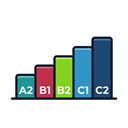
View plugin details ↗Built for language schools, English tutors, and course providers, the Adaptive Placement Test turns website visitors into pre-qualified leads.
10+ active installations
- Version
- 1.3.5
- WordPress
- 6.0+
- PHP
- 7.4+
- Updated
- 27 Aug 2026
View plugin details ↗Manage Stripe payments, products, subscriptions and digital sales directly from WordPress.
★ 5.0/5 (1)0+ active installations
- Version
- 0.1.2
- WordPress
- 6.6+
- PHP
- 8.2+
- Updated
- 30 Sep 2026
View plugin details ↗Accept bank transfer and mobile wallet payments in WooCommerce with payment instructions and a customer transaction ID field.
0+ active installations
- Version
- 1.1.0
- WordPress
- 6.5+
- PHP
- 7.4+
- Updated
- 18 Nov 2026
View plugin details ↗Yotta Pay is the fastest and most secure way to accept payments via bank account.
30+ active installations
- Version
- 4.0.1
- WordPress
- 5.3+
- PHP
- 7.0+
- Updated
- 23 Dec 2025
View plugin details ↗Complete subscriptions for WooCommerce — recurring billing, trials, sign-up fees, pause/skip, plan switching, dunning, smart retries. All free.
10+ active installations
- Version
- 1.1.1
- WordPress
- 6.0+
- PHP
- 7.4+
- Updated
- 17 Nov 2026
View plugin details ↗Flexible appointment booking with optional professionals, a customizable form, visual date picker, payments and reminders.
10+ active installations
- Version
- 3.6.6
- WordPress
- 6.6+
- PHP
- 8.2+
- Updated
- 2 Nov 2026
View plugin details ↗Accept UPI payments via QR code in WooCommerce. Customers enter Transaction ID at checkout. Lightweight & easy to configure.
40+ active installations
- Version
- 1.0.1
- WordPress
- 5.8+
- PHP
- 7.4+
- Updated
- 6 Dec 2025
View plugin details ↗Translate posts, pages, products, categories, strings and URL slugs. Language URLs, hreflang, a language switcher and optional machine translation.
★ 5.0/5 (2)0+ active installations
- Version
- 1.0.8.0.1
- WordPress
- 6.4+
- PHP
- 8.1+
- Updated
- 22 Nov 2026
View plugin details ↗A complete LMS toolkit. Simple and complete.
★ 5.0/5 (2)40+ active installations
- Version
- 1.4.3
- WordPress
- 6.0+
- PHP
- 7.4+
- Updated
- 3 Jun 2025
View plugin details ↗Sell subscriptions and one-off access to your content with industry-leading conversion rates, a simple platform to operate, and no upfront costs.
★ 5.0/5 (10)100+ active installations
- Version
- 4.1.5
- WordPress
- 5.1+
- PHP
- 7.0+
- Updated
- 14 Oct 2026
View plugin details ↗