HUSKY - WooCommerce Products Filter (former WOOF) – filter by categories, attributes, price and meta fields, with a built-in MCP server
★ 4.6/5 (337)80,000+ active installations
- Version
- 1.4.9
- WordPress
- 6.0+
- PHP
- 7.4+
- Updated
- 21 Nov 2026
WORDPRESS RESOURCES
Explore public plugin information from the official WordPress.org directory. Compare what a plugin does, its requirements and update history before adding it to your website.
Explore WordPress hosting →10,000 matching plugins reported by WordPress.org · Page 35 of 50
Source: WordPress.org
Data refreshed 22 Nov 2026 20:06 UTC
HUSKY - WooCommerce Products Filter (former WOOF) – filter by categories, attributes, price and meta fields, with a built-in MCP server

By 10up
A fast and flexible search and query engine for WordPress.
A link management solution that helps you analyze internal links, monitor link equity, automate keyword-based linking, and more.

By Justin Sternberg
CMB2 is a metabox, custom fields, and forms library for WordPress that will blow your mind.

By itthinx
Turn your site into a powerful membership solution. Manage members, teams and access to content easily.
Add a legally compliant EU withdrawal button to your WooCommerce store. It allows customers to exercise their 14-day right of withdrawal online.

By WBW Plugins
Free WooCommerce filter: fast on 100,000 products, any theme or builder, right on phones, found by Google and AI answers. One click setup.

By fifu.app
Use external image URLs for WordPress featured images and WooCommerce product images. No uploads required. FIFU PRO adds videos and galleries.

By Julian Yanover
AI Summaries for your WordPress
By Denis Botić
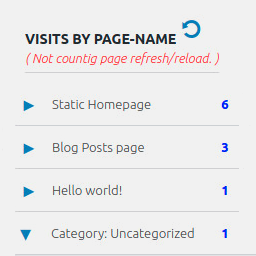
Display number of visits for each page in admin dashboard and browser developer-tool/console. Doesn't count page refresh as a new visit...
HappyAddons packs Header Footer Builder, Megamenu, Single Post, Archive Page, & 500+ Ready Templates into one powerful Elementor Addons plugin.
Speed up your WordPress site with one-click optimizations like Page Cache, Critical CSS, and Image CDN to improve Core Web Vitals.
CHOOSE WHAT YOUR WEBSITE NEEDS
Start with the task you need to solve. Compare features, WordPress and PHP requirements, update history and the author’s documentation. Test changes on a private copy and avoid adding several plugins for the same job.
This independent directory displays plugin information on WebFulHost and links to the official source. Packages are not mirrored or installed here. A plugin can include paid extensions or services with separate terms from its author.