
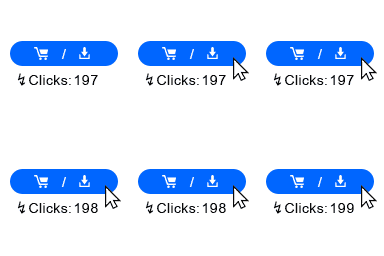
Click Counter for Woo Products
By Chout
Tracks and displays the number of clicks on WooCommerce product buttons (e.g., 'Add to cart', external product links).
0+ active installations
- Version
- 1.27.2
- WordPress
- 5.2+
- PHP
- 7.4+
- Updated
- 25 Aug 2026
WORDPRESS RESOURCES
Explore public plugin information from the official WordPress.org directory. Compare what a plugin does, its requirements and update history before adding it to your website.
Explore WordPress hosting →2,674 matching plugins reported by WordPress.org · Page 37 of 50
Source: WordPress.org
Data refreshed 26 Nov 2026 00:01 UTC
By Chout
Tracks and displays the number of clicks on WooCommerce product buttons (e.g., 'Add to cart', external product links).

By Norse Digital Group LLC
Find broken links, 404 errors & broken images. Internal link optimizer, rank tracking, AI visibility, SEO audits and uptime monitoring in one plugin.

By lynbro
Free, multilingual cookie consent banner — GDPR/ePrivacy & Google Consent Mode v2 ready, equal Reject button, no pageview limits.

By artiosmedia
This plugin will limit the number of comments and the word count each user can add to a WordPress blog post, configurable by user role and time.

By Huzoor Bux
Export images from your WordPress media library as a ZIP file — filter by year and image size before downloading.

By Echozat
A modular SEO toolkit: edit meta tags in bulk, manage URL redirections, and replace links across your content — all from one plugin.

By Walter Pinem
Easily build your own micro landing page showing all the links you want to share to engage your audience. Use your own brand, link it anywhere.

By Bowo
Central dashboard to monitor various WordPress components, processes and data, including the server.

By Abdur Rahman Emon
Hide admin notices in one clean popup. Notice Vault collects dashboard notifications so you can read, organize and dismiss notices on your own terms.

By vishvajit424
Basic Visitor Counter – Simple & Lightweight Visitor Tracking.

By Pascal
Allow or disallow visitors from certain countries accessing (parts of) your website
Automated Discount Campaigns & Flash Sales for WooCommerce
CHOOSE WHAT YOUR WEBSITE NEEDS
Start with the task you need to solve. Compare features, WordPress and PHP requirements, update history and the author’s documentation. Test changes on a private copy and avoid adding several plugins for the same job.
This independent directory displays plugin information on WebFulHost and links to the official source. Packages are not mirrored or installed here. A plugin can include paid extensions or services with separate terms from its author.
