Variation Images Gallery for WooCommerce plugin allows to add UNLIMITED additional images for each variation of product.
★ 4.7/5 (39)10,000+ active installations
- Version
- 2.4.6
- WordPress
- 6.0+
- PHP
- 7.4+
- Updated
- 22 Sep 2026
View plugin details ↗Floating Menus, Sticky Buttons, & Popup builder. WhatsApp Chat, Facebook Messenger, Telegram, Live Chat, Call, SMS, Email & more.
★ 4.5/5 (151)70,000+ active installations
- Version
- 3.6.1
- WordPress
- 4.7+
- PHP
- 7.0+
- Updated
- 13 Oct 2026
View plugin details ↗Brands for WooCommerce plugin allows you to add brands for products in your shop.
★ 4.8/5 (76)5,000+ active installations
- Version
- 3.10
- WordPress
- 5.0+
- PHP
- 7.4+
- Updated
- 17 Nov 2026
View plugin details ↗Custom blocks for WordPress made easy.
★ 4.5/5 (21)10,000+ active installations
- Version
- 1.7.4
- WordPress
- 6.0+
- PHP
- 7.0+
- Updated
- 19 Oct 2026
View plugin details ↗Display Google Calendar events on your WordPress site in real-time synchronization. Fully customizable and 100% mobile responsive.
★ 3.8/5 (397)50,000+ active installations
- Version
- 4.3.3
- WordPress
- 5.3+
- PHP
- 8.1+
- Updated
- 16 Nov 2026
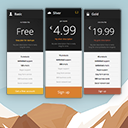
View plugin details ↗A responsive and elegant way to present your offer to your visitors. Create a new pricing table now and copy-paste the shortcode anywhere.
★ 4.6/5 (91)10,000+ active installations
- Version
- 5.1.13
- WordPress
- 3.6+
- Updated
- 29 Jan 2026
View plugin details ↗Duplicate Post RB makes it easy to duplicate posts, pages and custom post types. Create duplicate posts, clone content, automate duplication
★ 4.7/5 (7)6,000+ active installations
- Version
- 2.5.1
- WordPress
- 5.0+
- Updated
- 6 Nov 2026
View plugin details ↗Add code snippets, header & footer scripts and custom HTML, CSS, JS & PHP — site-wide or by shortcode and block, no theme edits.
★ 4.9/5 (32)10,000+ active installations
- Version
- 5.0.2
- WordPress
- 5.3+
- PHP
- 7.4+
- Updated
- 16 Nov 2026
View plugin details ↗Beautiful responsive event calendar for WordPress. Unlimited events, repeating schedules, virtual events, maps, filters & AI. Clean design, SEO-ready.
★ 4.1/5 (44)6,000+ active installations
- Version
- 2.6
- WordPress
- 6.5+
- Updated
- 21 Nov 2026
View plugin details ↗Wp social lets you add social login, social counter, and social share buttons of different styles to your WordPress website.
★ 4.6/5 (68)70,000+ active installations
- Version
- 3.2.4
- WordPress
- 6.0+
- PHP
- 7.4+
- Updated
- 6 Nov 2026
View plugin details ↗Automatically generate beautiful user avatars based on their initials.
★ 4.9/5 (28)6,000+ active installations
- Version
- 1.3.13
- WordPress
- 4.7+
- PHP
- 8.0+
- Updated
- 18 Dec 2025
View plugin details ↗Allow registered users to upload and select their own avatars.
★ 4.5/5 (29)20,000+ active installations
- Version
- 2.2.0
- WordPress
- 6.4+
- PHP
- 7.4+
- Updated
- 15 Oct 2026
View plugin details ↗