

qTranslate X Cleanup and WPML Import
By Amir Helzer
Allows a complete uninstall and cleanup of qTranslate X meta-tags or importing translations into WPML
★ 3.5/5 (26)700+ active installations
- Version
- 5.0.0
- WordPress
- 3.0+
- Updated
- 21 Oct 2026
WORDPRESS RESOURCES
Explore public plugin information from the official WordPress.org directory. Compare what a plugin does, its requirements and update history before adding it to your website.
Explore WordPress hosting →2,192 matching plugins reported by WordPress.org · Page 4 of 50
Source: WordPress.org
Data refreshed 26 Nov 2026 04:24 UTC
By Amir Helzer
Allows a complete uninstall and cleanup of qTranslate X meta-tags or importing translations into WPML
Send emails to all your users, individually or by user roles. Send emails without any extra setup.

By fifu.app
Use external image URLs for WordPress featured images and WooCommerce product images. No uploads required. FIFU PRO adds videos and galleries.

By Mehdi Rezaei
Safely analyze, preview, trash, restore, schedule, regenerate, and manage WordPress thumbnails from a clean tabbed admin screen.
By Javier Revilla
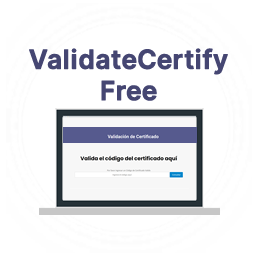
ValidateCertify is the ultimate plugin for ensuring the authenticity and integrity of issued certificates.

By Fernando Tellado
Clean up your Actions Scheduler database with manual or scheduled cleanup. Remove old actions and logs automatically.
A one-click, user-friendly WordPress plugin for effortlessly importing theme demos and customizing your website in no time.

By oneteamsoftware
Multi-Carrier Shippo shipping plugin for WooCommerce displays live shipping rates at cart / checkout pages, validates shipping address.

By danialpg
Offload your WordPress media to a remote download host over FTP/FTPS and automatically rewrite media URLs to the remote host.
WooCommerce AI toolkit: bulk product descriptions, titles, SEO meta, FAQs, chatbot. Run it from ChatGPT or Claude via MCP. Less effort, more output.

By Alex Somale
Rename media files with SEO-friendly names, auto-update references, alt/title sync, and 301 redirects — fast and safe.
Set up complex stock configurations with ease. Shared stock, variable quantities, the possibilities are endless.
CHOOSE WHAT YOUR WEBSITE NEEDS
Start with the task you need to solve. Compare features, WordPress and PHP requirements, update history and the author’s documentation. Test changes on a private copy and avoid adding several plugins for the same job.
This independent directory displays plugin information on WebFulHost and links to the official source. Packages are not mirrored or installed here. A plugin can include paid extensions or services with separate terms from its author.



