

Integrate Tailwind CSS 3 or 4 into WordPress easily, in seconds. Works well with the block editor, page builders, plugins, themes, and custom code.
★ 5.0/5 (37)3,000+ active installations
- Version
- 3.2.95
- WordPress
- 6.0+
- PHP
- 7.4+
- Updated
- 10 Nov 2026
WORDPRESS RESOURCES
Explore public plugin information from the official WordPress.org directory. Compare what a plugin does, its requirements and update history before adding it to your website.
Explore WordPress hosting →7,719 matching plugins reported by WordPress.org · Page 4 of 50
Source: WordPress.org
Data refreshed 19 Nov 2026 05:21 UTC
Integrate Tailwind CSS 3 or 4 into WordPress easily, in seconds. Works well with the block editor, page builders, plugins, themes, and custom code.

By Gabe Livan
Speed up your WordPress site by unloading unnecessary CSS and JavaScript, reducing page bloat, and managing your own Critical CSS per page type.

By Marc Tönsing
SEO-friendly Table of Contents Gutenberg block. No JavaScript or CSS by default.
Elementor templates, Header footer builder, Elementor Post Grid, Woocommerce Grid builder, Slider, Forms, Gallery, Nav menu addons, Elementor widgets.

By Chetan Vaghela
Manage, remove, or replace CSS and JavaScript version numbers with file modified timestamps for better cache management.

By Adnan
Include inline javascript, stylesheets, CSS code or anything you want in Header and Footer areas of your WordPress with ease.
Optimize and tweak WordPress by disable unused features. Improve performance, SEO and security using Clearfy — super easy, fast and zero code.
Add custom LESS, CSS, JavaScript and HTML from the WordPress Customizer. No child theme, and your code survives theme updates.
By Jory Hogeveen
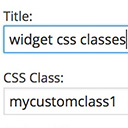
Add custom classes and ids plus first, last, even, odd, and numbered classes to your widgets.

By creativeinteractivemedia
Scroll animations, hover effects, typewriter text and count-up numbers for Gutenberg, Elementor and Bricks. CSS and 3D WebGL effects. No code.

By megamenu
An easy to use mega menu plugin. Written the WordPress way.

By WP Zone
Easily add custom CSS and JavaScript code to your WordPress site, with draft previewing, revisions, and minification!
CHOOSE WHAT YOUR WEBSITE NEEDS
Start with the task you need to solve. Compare features, WordPress and PHP requirements, update history and the author’s documentation. Test changes on a private copy and avoid adding several plugins for the same job.
This independent directory displays plugin information on WebFulHost and links to the official source. Packages are not mirrored or installed here. A plugin can include paid extensions or services with separate terms from its author.


