
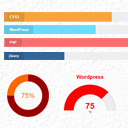
SKT Skill Bar
By Sonal S Sinha
Showcase skillsets that you are good at anywhere on your website using this plugin.
★ 4.1/5 (14)1,000+ active installations
- Version
- 3.1
- WordPress
- 5.0+
- PHP
- 7.4+
- Updated
- 29 Jun 2026
WORDPRESS RESOURCES
Explore public plugin information from the official WordPress.org directory. Compare what a plugin does, its requirements and update history before adding it to your website.
Explore WordPress hosting →8,978 matching plugins reported by WordPress.org · Page 4 of 50
Source: WordPress.org
Data refreshed 21 Nov 2026 00:07 UTC
By Sonal S Sinha
Showcase skillsets that you are good at anywhere on your website using this plugin.
Extend Elementor with 68+ widgets, 114 prebuilt demos, Mega Menu Builder, Theme Builder, and advanced interactive effects.

By Pär Thernström
Track changes and user activities on your WordPress site. See who created a page, uploaded an attachment, and more, for a complete audit trail.

By Catch Plugins
Catch Scroll Progress Bar is a simple, super-light WordPress progress bar plugin to sow the scrolled progress.

By WP Overnight
Automatically displays a shopping cart in your menu bar. Works with WooCommerce and Easy Digital Downloads (EDD)
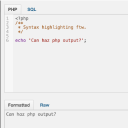
By Drew Jaynes
Adds a PHP/SQL console to the Debug Bar. Requires the Debug Bar plugin.

🤩 Make popups & optin forms to get more email newsletter subscribers, leads, and sales - #1 most popular popup builder plugin! 🚀
Create unlimited notifications, announcements, or notices for your visitors
Duplicate post, post order, image resize, email via SMTP, admin menu editor, custom css / code, disable gutenberg and much more in a single plugin.
Translate WordPress with Google Language Translator multilanguage plugin which allows to insert a language selector widget anywhere on your website.

By Nexcess
The Events Calendar: #1 calendar plugin for WordPress. Create/manage events (virtual too!) on your site with the free plugin.

By Jb Audras
A reading position indicator that you can use where you want: top, bottom or custom position in differents templates or post types.
CHOOSE WHAT YOUR WEBSITE NEEDS
Start with the task you need to solve. Compare features, WordPress and PHP requirements, update history and the author’s documentation. Test changes on a private copy and avoid adding several plugins for the same job.
This independent directory displays plugin information on WebFulHost and links to the official source. Packages are not mirrored or installed here. A plugin can include paid extensions or services with separate terms from its author.



