Add a sitemap on any of your page using the simple shortcode [wp_sitemap_page]. Improve the SEO and navigation of your website.
★ 4.8/5 (205)200,000+ active installations
- Version
- 1.9.6
- WordPress
- 3.0+
- Updated
- 21 Aug 2026
View plugin details ↗[ ✅ 𝐒𝐄𝐂𝐔𝐑𝐄 𝐏𝐋𝐔𝐆𝐈𝐍𝐒 𝐵𝓎 𝒫𝓊𝓋𝑜𝓍 ] phpMyAdmin - Database Browser & Manager (for MySQL & MariaDB)
★ 4.6/5 (58)40,000+ active installations
- Version
- 5.2.3.03
- WordPress
- 6.0+
- Updated
- 22 Oct 2026
View plugin details ↗Create easily maps with OpenStreetMap
★ 3.9/5 (10)3,000+ active installations
- Version
- 1.41
- WordPress
- 3.5+
- Updated
- 15 Aug 2026
View plugin details ↗Adds an AJAX rating system for your WordPress site's content.
★ 4.4/5 (178)20,000+ active installations
- Version
- 2.0.2
- WordPress
- 6.8+
- PHP
- 8.2+
- Updated
- 1 Sep 2026
View plugin details ↗The best WordPress Import Export plugin. Easily import and export posts, pages, CPTs, WooCommerce products, users and more using CSV, XML and Excel.
★ 4.4/5 (595)20,000+ active installations
- Version
- 9.3.2
- WordPress
- 5.0+
- PHP
- 7.4+
- Updated
- 13 Nov 2026
View plugin details ↗Allows to easily add interactive charts and maps using amCharts libraries.
★ 5.0/5 (29)1,000+ active installations
- Version
- 1.4.7
- WordPress
- 3.5+
- Updated
- 18 Aug 2026
View plugin details ↗Use Algolia AI Search & Discovery to power your website's search with AI-powered Autocomplete and InstantSearch for fast, accurate, relevant results.
★ 4.5/5 (24)7,000+ active installations
- Version
- 3.0.1
- WordPress
- 6.2.9+
- PHP
- 8.1+
- Updated
- 9 Oct 2026
View plugin details ↗Advanced geolocation, mapping, and proximity search plugin. Geotag post types and BuddyPress members, and create advanced proximity search forms.
★ 4.6/5 (139)3,000+ active installations
- Version
- 4.5.5.7
- WordPress
- 5.6+
- PHP
- 7.4+
- Updated
- 23 Oct 2026
View plugin details ↗WP fail2ban uses fail2ban to protect your WordPress site.
★ 4.2/5 (71)60,000+ active installations
- Version
- 5.5.1
- WordPress
- 5.3+
- PHP
- 7.4+
- Updated
- 12 Nov 2026
View plugin details ↗Clean your WordPress dashboard. Hide annoying admin notices, theme ads, and update alerts for your clients worldwide. Light, fast, and multi-site read …
★ 4.3/5 (12)10,000+ active installations
- Version
- 4.3
- WordPress
- 6.0+
- PHP
- 7.4+
- Updated
- 5 Sep 2026
View plugin details ↗
By Robert Seyfriedsberger
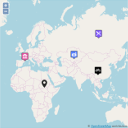
The most comprehensive & user-friendly mapping solution for WordPress
★ 4.6/5 (244)9,000+ active installations
- Version
- 3.12.10
- WordPress
- 3.3+
- PHP
- 5.3+
- Updated
- 5 Dec 2025
View plugin details ↗Display Google Business Profile reviews in a fast slider, carousel, or grid with a summary badge. Stored locally; works with service area businesses.
★ 4.9/5 (373)30,000+ active installations
- Version
- 18.12
- WordPress
- 3.0.1+
- Updated
- 9 Nov 2026
View plugin details ↗