MediaVoom – Image Optimizer & Media Cleaner
By Youssef Medlej
Safely clean your Media Library, find duplicates and orphan files, and generate local WebP/AVIF images.
20+ active installations
- Version
- 1.1.6
- WordPress
- 6.5+
- PHP
- 7.4+
- Updated
- 9 Oct 2026
WORDPRESS RESOURCES
Explore public plugin information from the official WordPress.org directory. Compare what a plugin does, its requirements and update history before adding it to your website.
Explore WordPress hosting →5,991 matching plugins reported by WordPress.org · Page 40 of 50
Source: WordPress.org
Data refreshed 22 Nov 2026 04:17 UTC
By Youssef Medlej
Safely clean your Media Library, find duplicates and orphan files, and generate local WebP/AVIF images.

By Black Studio
The visual editor widget for WordPress.

By metaphorcreations
Ditty offers a range of content display options, including its signature news ticker and customizable layouts.

By Albert Peschar
PhastPress automatically optimizes your site for the best possible performance.
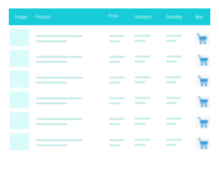
A truly lightweight, EASY to use and super FAST WooCommerce product table solution to add multiple products to cart at once.
The #1 secure WordPress MCP server for connecting Claude, ChatGPT, & AI agents (MCP Clients) with 400+ tools for WooCommerce, SEO, Elementor, audi …

By Cloudflare
All of Cloudflare’s performance and security benefits in a simple one-click install.

By Benjamin Graham Oats
AI alt text generator for WordPress and WooCommerce. Find missing alt text, then bulk-generate image alt text you can edit any time. Free to try.
Create 360 virtual tours for real estate, hotels, and showrooms in minutes with WPVR, the #1 virtual tour creator plugin for WordPress!
Speed up WordPress with free CDN delivery, image optimization, smart asset detection, failure recovery, and privacy-first Google Fonts proxy.

By willtdf
Find and fix every missing image alt text on your WordPress site — for SEO, accessibility, and compliance.

By simplepress
The most versatile and feature-rich forum plugin for WordPress. Create unlimited forums with awesome features directly in your WordPress site.
CHOOSE WHAT YOUR WEBSITE NEEDS
Start with the task you need to solve. Compare features, WordPress and PHP requirements, update history and the author’s documentation. Test changes on a private copy and avoid adding several plugins for the same job.
This independent directory displays plugin information on WebFulHost and links to the official source. Packages are not mirrored or installed here. A plugin can include paid extensions or services with separate terms from its author.