

Display a notification, announcement, sale banner or promotion using the top bar, bottom bar, widget, shortcode or WooCommerce product integration
★ 5.0/5 (1)100+ active installations
- Version
- 1.2.11
- WordPress
- 6.0+
- PHP
- 7.1+
- Updated
- 17 Oct 2026
WORDPRESS RESOURCES
Explore public plugin information from the official WordPress.org directory. Compare what a plugin does, its requirements and update history before adding it to your website.
Explore WordPress hosting →3,355 matching plugins reported by WordPress.org · Page 41 of 50
Source: WordPress.org
Data refreshed 23 Nov 2026 08:57 UTC
Display a notification, announcement, sale banner or promotion using the top bar, bottom bar, widget, shortcode or WooCommerce product integration

By Cool Plugins
Showcase your company history, process steps, milestones, and roadmap inside Gutenberg using the powerful Timeline Block

By Trent Stromkins
Easily add icons to Navigation Block items in WordPress.
By Dmitry V. (CEO of "UKR Solution")
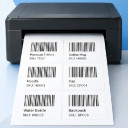
WooCommerce barcode generator for product and order labels & price tags. Easily print label with your printer (UPC, EAN, GS1, GTIN, QRcode).

By WPClever
WPC AJAX Search is an interaction search popup for WooCommerce.

By PI Web Solution
Product enquiry for WooCommerce and product catalog plugin that can save enquiries and email the WooCommerce product enquiry as well

By Milan Petrovic
Easy-to-use plugin for debugging and profiling website loading, SQL queries analysis, help with development, bug fixing, all in configurable popup.

By Ali Malas
Add professional watermarks to your WordPress images with customizable position, size, and opacity settings.
Add Parallax scrolling effects in any section of your website.

By StreamWeasels
StreamWeasels Kick Integration for embedding live streams from Kick

By Debuggers Studio
Marquee Addons is a smooth video, text, image, and testimonial marquee carousel loop plugin for Elementor on WordPress

By YummyWP
Boost WooCommerce sales with instant Ajax product search — live suggestions, fullscreen popup, SKU search, and GA4 analytics, all in one plugin.
CHOOSE WHAT YOUR WEBSITE NEEDS
Start with the task you need to solve. Compare features, WordPress and PHP requirements, update history and the author’s documentation. Test changes on a private copy and avoid adding several plugins for the same job.
This independent directory displays plugin information on WebFulHost and links to the official source. Packages are not mirrored or installed here. A plugin can include paid extensions or services with separate terms from its author.
