

Free Elementor addons plugin with 80+ widgets, 5+ extensions, Theme builder, 250+ Elementor templates, 500+ modern UI sections for Elementor websites.
★ 5.0/5 (6)3,000+ active installations
- Version
- 2.2.3
- WordPress
- 5.0+
- PHP
- 5.6+
- Updated
- 28 Oct 2026
WORDPRESS RESOURCES
Explore public plugin information from the official WordPress.org directory. Compare what a plugin does, its requirements and update history before adding it to your website.
Explore WordPress hosting →2,405 matching plugins reported by WordPress.org · Page 42 of 50
Source: WordPress.org
Data refreshed 28 Nov 2026 05:24 UTC
Free Elementor addons plugin with 80+ widgets, 5+ extensions, Theme builder, 250+ Elementor templates, 500+ modern UI sections for Elementor websites.
Click-to-chat button for WordPress. Connect to WhatsApp, Messenger, Telegram, or Instagram in one click. Smart FAQ bot included, funnels in Pro.
By PickPlugins
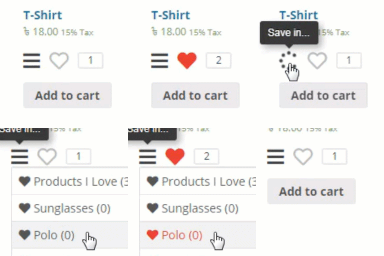
Add wishlist feature to your WooCommerce product or any post types.
QODE Quick View for WooCommerce helps you boost conversions & sales by providing visitors with handy pop-up product previews on product list pages.
Pixel Tag Manager for WooCommerce is a powerful plugin to monitor eCommerce events with seamless integration. Track Google Analytics 4, Google Ads, Bi …
Build beautiful post grids, sliders, and complete news website layouts using Elementor, Gutenberg, or shortcodes — no coding needed.

By Joost de Valk
Integrates the Clicky web analytics service into your blog and adds features for comment tracking & more.

By DaleAB
Add member authentication and access role management to your WordPress site via Membee's powerful Member Single Sign-On web service.
Responsive sliders from images, posts, WooCommerce, videos or blocks — or start from 100+ ready-made templates. Block editor & shortcode.

By Marcel Pol
Gwolle Guestbook is the WordPress guestbook you've just been looking for. Beautiful and easy.

By Elliot Sowersby / RelyWP
The most powerful affiliate plugin for WooCommerce. Track commission, generate referral URLs, assign affiliate coupons, and display detailed stats.

By AuditySEO
Attach images to WordPress comments with drag-and-drop, preview before posting, admin moderation, and lightbox viewer.
CHOOSE WHAT YOUR WEBSITE NEEDS
Start with the task you need to solve. Compare features, WordPress and PHP requirements, update history and the author’s documentation. Test changes on a private copy and avoid adding several plugins for the same job.
This independent directory displays plugin information on WebFulHost and links to the official source. Packages are not mirrored or installed here. A plugin can include paid extensions or services with separate terms from its author.




