

Flexible EAN for WooCommerce
By wpdesk
The Flexible EAN for WooCommerce plugin can save the EAN barcode for simple and variable products.
★ 2.7/5 (3)200+ active installations
- Version
- 2.0.13
- WordPress
- 6.4+
- PHP
- 7.4+
- Updated
- 2 Jul 2026
WORDPRESS RESOURCES
Explore public plugin information from the official WordPress.org directory. Compare what a plugin does, its requirements and update history before adding it to your website.
Explore WordPress hosting →3,870 matching plugins reported by WordPress.org · Page 42 of 50
Source: WordPress.org
Data refreshed 29 Nov 2026 16:29 UTC
By wpdesk
The Flexible EAN for WooCommerce plugin can save the EAN barcode for simple and variable products.

By Igor Radovanov
Control WooCommerce product visibility based on user roles. Restrict products and variations to specific user roles.

By WCBoost
WCBoost – Variation Swatches is the ultimate plugin to display WooCommerce product variations in style.
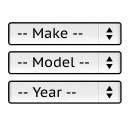
By Pektsekye
It will find products for selected make and model.

By WP All Import
Drag & drop to export Advanced Custom Fields data to any custom CSV, Excel, or XML file of any format. Supports repeaters, flexible content, galle …

By creativeinteractivemedia
Turn a PDF or images into a realistic 3D flipbook – no watermark, no page limits. Embed with a block or shortcode: a page-flip PDF viewer.
90+ Gutenberg Blocks & AI Website Builder with 1000+ Templates. Complete Page Builder, Popup Builder, Mega Menu, Form Builder & More. No Code.
AJAX WooCommerce product filter and WordPress post filter. Shoppers filter by price, rating, category, attribute, color and size without reload.

Install Post SMTP (WordPress SMTP Plugin) to fix WordPress email delivery. Connect Gmail SMTP, Microsoft 365, Brevo, SendGrid, Zoho, Amazon SES, etc.
Generate unlimited test orders and products for WooCommerce with realistic data. Perfect for testing, development, and performance optimization.
Display WordPress posts in beautiful grid, list, slider, and filter layouts. Works with Gutenberg, Elementor, Divi, and Shortcodes.
Starter templates, patterns, and blocks for the WordPress editor, including WooCommerce product carousels and sliders. Build visually, no code.
CHOOSE WHAT YOUR WEBSITE NEEDS
Start with the task you need to solve. Compare features, WordPress and PHP requirements, update history and the author’s documentation. Test changes on a private copy and avoid adding several plugins for the same job.
This independent directory displays plugin information on WebFulHost and links to the official source. Packages are not mirrored or installed here. A plugin can include paid extensions or services with separate terms from its author.




