

Eventin Addon for Elementor
By Arraytics
Build Eventin event pages in Elementor - 21 single-event widgets for the Eventin template builder.
200+ active installations
- Version
- 1.1.0
- WordPress
- 6.0+
- PHP
- 7.4+
- Updated
- 27 Oct 2026
WORDPRESS RESOURCES
Explore public plugin information from the official WordPress.org directory. Compare what a plugin does, its requirements and update history before adding it to your website.
Explore WordPress hosting →1,605 matching plugins reported by WordPress.org · Page 42 of 50
Source: WordPress.org
Data refreshed 28 Nov 2026 10:49 UTC
By Arraytics
Build Eventin event pages in Elementor - 21 single-event widgets for the Eventin template builder.

By revmakx
Your clients can quickly view your real-time availability and self-book their own slots, and eliminate all back-and-forth emailing.

By silverplugins217
Add unlimited custom fields to WooCommerce registration forms. Pro adds file upload, select, radio, date picker, color picker, and more.

By Designed 2 Use
A standalone WordPress events calendar with month + list views, venue archive, iCal feeds, and optional WooCommerce ticketing.

By Hawaii Interactive Sàrl
A developer toolkit for WordPress themes — ACF blocks, custom post types, taxonomies, REST API, and utility services.

By osti47
Display Wodify information directly within your Wordpress blog.

Unlimited customer support tool that allows visitors to engage using Viber.
By tharkun69
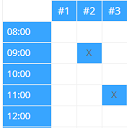
Create configurable occupancy schedules and let visitors view, request and manage bookings directly in the WordPress frontend.

By Refresh Themes
Tripzzy is a travel booking plugin for creating travel and tour packages for tour operators and agencies quickly and easily.

By ministryforgozoandplanning
Display events happening in Gozo on your own website.

By PosterMyWall
Display upcoming events on WordPress with the AI-powered PosterMyWall Events Calendar plugin. Enjoy beautiful, interactive calendars that auto-update.
Fix WordPress email delivery. Send through Gmail, Microsoft 365, SendGrid, Amazon SES, Brevo and more by API, OAuth, or SMTP, with fallback and logs.
CHOOSE WHAT YOUR WEBSITE NEEDS
Start with the task you need to solve. Compare features, WordPress and PHP requirements, update history and the author’s documentation. Test changes on a private copy and avoid adding several plugins for the same job.
This independent directory displays plugin information on WebFulHost and links to the official source. Packages are not mirrored or installed here. A plugin can include paid extensions or services with separate terms from its author.
