Build your own video sharing site with uploads, playlists, responsive discovery, playback and optional membership integrations.
★ 2.3/5 (12)30+ active installations
- Version
- 3.15.2
- WordPress
- 6.9+
- PHP
- 8.2+
- Updated
- 22 Nov 2026
View plugin details ↗ShopReady - WooCommerce Builder Elementor Addon. Available functions/features are WooCommerce Template Builder (Basic), WooCommerce Product Grid, WooC …
★ 4.4/5 (13)100+ active installations
- Version
- 3.6
- WordPress
- 5.5+
- Updated
- 6 Feb 2025
View plugin details ↗Save, store and import layouts instantly, all in one place with the click of a button!
★ 4.3/5 (6)3,000+ active installations
- Version
- 0.6.22
- WordPress
- 5.0+
- Updated
- 14 May 2024
View plugin details ↗This plugin allows you to create lightweight fancy box popup window in your blog with custom content. we can easily configure popup size and timeout.
★ 3.5/5 (11)900+ active installations
- Version
- 3.6
- WordPress
- 3.4+
- Updated
- 29 Oct 2023
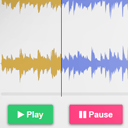
View plugin details ↗Customizable HTML5 Audio controller with waveform preview (mixed or split channels), using WordPress native audio and playlist shortcode.
★ 5.0/5 (11)400+ active installations
- Version
- 2.8.4
- WordPress
- 4.0+
- Updated
- 4 Feb 2026
View plugin details ↗Limit rate of login attempts, including by way of cookies, for each IP. Fully customizable.
★ 4.6/5 (202)200,000+ active installations
- Version
- 1.7.2
- WordPress
- 2.8+
- Updated
- 4 Apr 2023
View plugin details ↗Glossary plugin for your site.
0+ active installations
- Version
- 5
- WordPress
- 4.7+
- Updated
- 10 Feb 2026
View plugin details ↗Add carrier/tracking fields to WooCommerce orders, expose them via REST API, and add a "Marketplace" column with filter for Worten orders.
10+ active installations
- Version
- 2.9
- WordPress
- 5.8+
- PHP
- 7.4+
- Updated
- 14 Aug 2025
View plugin details ↗Provides a set of useful tools for the ejabberd server, both for the frontend and backend spaces
★ 5.0/5 (2)10+ active installations
- Version
- 2.11
- WordPress
- 5.9+
- PHP
- 8.0+
- Updated
- 12 Feb 2025
View plugin details ↗Checkout monitoring for WooCommerce: store health every 15 minutes and an email when something stops orders. Free, no account needed.
★ 5.0/5 (3)0+ active installations
- Version
- 4.2
- WordPress
- 6.0+
- PHP
- 7.4+
- Updated
- 18 Nov 2026
View plugin details ↗Cookie consent banner + real server-side cookie blocker. GDPR, CCPA and Israeli Tikun 13 ready. No SaaS: consent data never leaves your server.
40+ active installations
- Version
- 5.0.23
- WordPress
- 6.2+
- PHP
- 7.4+
- Updated
- 20 Oct 2026
View plugin details ↗Sell gift cards from around the world without carrying inventory.
0+ active installations
- Version
- 4.0.2
- WordPress
- 6.2+
- PHP
- 7.4+
- Updated
- 4 Sep 2026
View plugin details ↗