Add unlimited RSS feeds, import their items automatically, and show them anywhere on your site with a block or shortcode.
★ 4.5/5 (566)40,000+ active installations
- Version
- 5.8.0
- WordPress
- 6.2.2+
- PHP
- 7.4.0+
- Updated
- 18 Nov 2026
WORDPRESS RESOURCES
Explore public plugin information from the official WordPress.org directory. Compare what a plugin does, its requirements and update history before adding it to your website.
Explore WordPress hosting →10,000 matching plugins reported by WordPress.org · Page 43 of 50
Source: WordPress.org
Data refreshed 24 Nov 2026 17:10 UTC
Add unlimited RSS feeds, import their items automatically, and show them anywhere on your site with a block or shortcode.
By Md Monirul Alom
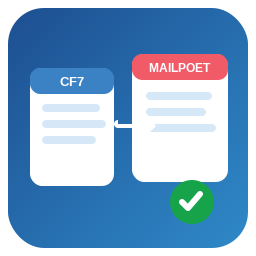
Map Contact Form 7 submissions to MailPoet subscribers with per-form field mapping, consent control, list selection, and error logging.
WooCommerce Bulk Edit for products, orders, coupons & any WordPress post type – all in one Excel-like spreadsheet. Manage stock & pricing too.

By Jeff Starr
Disables the WP REST API for visitors not logged into WordPress.

By Moloni
With this plugin you can add VAT and VIES support to your WooCommerce store. The VAT field will be saved as '_billing_vat'.

By Sajjad Hossain Sagor
Add Custom Image To Your Category / Custom Taxonomy Field With Advanced Category and Custom Taxonomy Image Plugin.

By Ruhul Amin
This plugin enables WPForms text field into a Date picker or Time picker by using CSS class.

By Binsaifullah
Duplicate PP is a simple plugin which allows you to duplicate any POST,PAGE and Custom POST TYPE Easily.
Add custom fields to the WooCommerce block checkout - no code. Text, dropdowns & checkboxes that save to the order via the native Store API.

By Brandon Fowler
Easily add general or item-specific detail inputs and file uploads to the WooCommerce checkout page's additional information section.
Build beautiful responsive forms for WordPress. Contact forms, surveys, quizzes, booking forms, payments, popups & more with NEX-Forms...

By colorlibplugins
Easily reorder posts, pages, custom post types, and taxonomies with intuitive drag-and-drop sorting in the WordPress admin.
CHOOSE WHAT YOUR WEBSITE NEEDS
Start with the task you need to solve. Compare features, WordPress and PHP requirements, update history and the author’s documentation. Test changes on a private copy and avoid adding several plugins for the same job.
This independent directory displays plugin information on WebFulHost and links to the official source. Packages are not mirrored or installed here. A plugin can include paid extensions or services with separate terms from its author.