

Spam Word Blocker
By Harshit Kumar
Prevent posts/pages from being published if they contain unwanted or spam words. Shows instant popup with blocked words.
80+ active installations
- Version
- 1.1.0
- WordPress
- 5.0+
- PHP
- 7.0+
- Updated
- 26 May 2026
WORDPRESS RESOURCES
Explore public plugin information from the official WordPress.org directory. Compare what a plugin does, its requirements and update history before adding it to your website.
Explore WordPress hosting →6,743 matching plugins reported by WordPress.org · Page 44 of 50
Source: WordPress.org
Data refreshed 24 Nov 2026 18:34 UTC
By Harshit Kumar
Prevent posts/pages from being published if they contain unwanted or spam words. Shows instant popup with blocked words.

By Mahmoud Hamed
Import public Blogger blogs into WordPress by Blog ID, with optional image download, page import, and redirect support.

By Timileyin Olabajo
Create custom WordPress roles, restrict admin menu access, manage allowed actions, and receive email alerts when restricted actions are attempted.
Add an AI Chatbot to your WordPress site for instant live chat or customer support. Supports multiple AI providers: OpenAI, Anthropic (Claude), Google …

By wp-buy
Give support agents limited WordPress admin access — restricted to specific pages you allow, with all others hidden and hard-blocked.

By Xfinitysoft
Post Redirection – 301, 404 Redirects lets you quickly redirect pages, posts, custom types, and URLs to new locations for seamless navigation.
WordPress portfolio plugin with Elementor widgets and Gutenberg blocks for grid, list, masonry, filters, sliders, and accordion layouts.

By Pantheon Systems
Automatically clear related pages from Pantheon's Edge when you update content. High TTL. Fresh content. Visitors never wait.

By Delower Hossain
A simple and powerful tool to run search and replace queries on your WordPress database, with full serialization and multisite support.
By perrinalexandre05
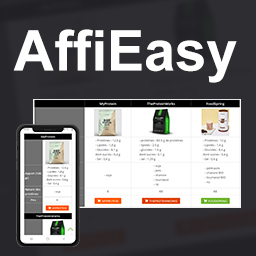
Create reusable affiliate links and responsive comparison tables from a single WordPress admin interface.

By Andrew Aires
Increase WooCommerce order value with checkout order bumps and upsells, custom discounts, and scheduled offers.

By syntax99
Track whether visitors come from paid ads or organic sources, and log every click on your WhatsApp buttons, with a dashboard and CSV export.
CHOOSE WHAT YOUR WEBSITE NEEDS
Start with the task you need to solve. Compare features, WordPress and PHP requirements, update history and the author’s documentation. Test changes on a private copy and avoid adding several plugins for the same job.
This independent directory displays plugin information on WebFulHost and links to the official source. Packages are not mirrored or installed here. A plugin can include paid extensions or services with separate terms from its author.

