By SquaremanPixelWorksLLC
Create and manage mail forms with shortcodes, confirmation screens, validation rules, file uploads, and customizable notification emails.
0+ active installations
- Version
- 0.2.11
- WordPress
- 6.5+
- PHP
- 7.4+
- Updated
- 2 Nov 2026
View plugin details ↗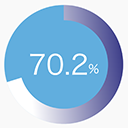
By SquaremanPixelWorksLLC
Render a customizable animated percentage pie chart with a shortcode.
0+ active installations
- Version
- 1.0.0
- WordPress
- 6.5+
- PHP
- 7.4+
- Updated
- 31 Aug 2026
View plugin details ↗Automatically compress, rename with SEO keywords, and generate alt-text for your images using AI.
0+ active installations
- Version
- 1.0.4
- WordPress
- 5.8+
- PHP
- 7.4+
- Updated
- 5 May 2026
View plugin details ↗AI-powered SEO and accessibility auditing. Scan, fix, and optimize your WordPress content automatically with OpenAI or Claude AI.
★ 5.0/5 (1)50+ active installations
- Version
- 1.5.6
- WordPress
- 6.0+
- PHP
- 7.4+
- Updated
- 8 Apr 2026
View plugin details ↗Display an RSS feed, a YouTube feed or a Bluesky feed in WordPress through templates your theme owns — no iframes, no third-party JavaScript.
10+ active installations
- Version
- 1.0.3
- WordPress
- 6.5+
- PHP
- 8.2+
- Updated
- 13 Nov 2026
View plugin details ↗Realistic frosted-glass (glassmorphism) panels for any element - refractive border, reflections, chromatic dispersion, grain. No CSS required.
10+ active installations
- Version
- 1.0.1
- WordPress
- 6.0+
- PHP
- 7.4+
- Updated
- 12 Jul 2026
View plugin details ↗A lightweight library for managing and displaying quotations in WordPress.
0+ active installations
- Version
- 0.7.5
- WordPress
- 6.2+
- PHP
- 8.0+
- Updated
- 20 Nov 2026
View plugin details ↗Track changes to user accounts, keep a lightweight activity log, lock/unlock users, change usernames, restrict dashboard access, and monitor logins.
10+ active installations
- Version
- 1.4.1
- WordPress
- 6.5+
- PHP
- 7.4+
- Updated
- 24 Aug 2026
View plugin details ↗Automatically add customizable text watermarks to images uploaded to WordPress.
0+ active installations
- Version
- 1.0.6
- WordPress
- 6.0+
- PHP
- 7.4+
- Updated
- 12 Sep 2026
View plugin details ↗Advanced fluid typography calculator with CSS clamp() generation for responsive font scaling across all device sizes.
★ 5.0/5 (1)10+ active installations
- Version
- 5.4.1
- WordPress
- 5.0+
- PHP
- 8.2+
- Updated
- 28 Aug 2026
View plugin details ↗The blocks of the free ArneIron Lite theme, for any theme: hero, pricing table, FAQ, testimonials, carousel, feature cards, posts grid.
0+ active installations
- Version
- 1.5.1
- WordPress
- 6.5+
- PHP
- 8.1+
- Updated
- 10 Nov 2026
View plugin details ↗
By woocommerceapiproducts
Import products from supplier APIs and JSON/CSV feeds into WooCommerce, then keep stock and prices in sync on a schedule.
★ 5.0/5 (1)0+ active installations
- Version
- 2.3.2
- WordPress
- 5.8+
- PHP
- 7.4+
- Updated
- 19 Nov 2026
View plugin details ↗