Manage custom WordPress code in one dashboard. Create PHP and HTML snippets, preview code, track snippet totals and reuse code across sites.
★ 4.7/5 (510)1,000,000+ active installations
- Version
- 4.1.1
- WordPress
- 5.5+
- PHP
- 7.4+
- Updated
- 25 Nov 2026
View plugin details ↗Search Meter tracks what your readers are searching for on your site. View full details of recent searches or stats for the last day, week or month.
★ 4.3/5 (29)20,000+ active installations
- Version
- 2.14.1
- WordPress
- 3.2+
- Updated
- 3 Dec 2025
View plugin details ↗Advanced antispam for comments, fake registrations, orders & contact forms spam. No CAPTCHA, FireWall and honeypot. We catch spam others miss!
★ 4.8/5 (3,232)200,000+ active installations
- Version
- 6.92
- WordPress
- 4.7+
- PHP
- 7.2+
- Updated
- 25 Nov 2026
View plugin details ↗Nested Pages provides a drag and drop interface for managing pages & posts in the WordPress admin, while maintaining quick edit functionality.
★ 4.7/5 (126)90,000+ active installations
- Version
- 3.3.6
- WordPress
- 3.8+
- PHP
- 8.0+
- Updated
- 24 Nov 2026
View plugin details ↗Extend search functionality to search in selected post meta, taxonomies, post types, and all authors.
★ 4.9/5 (72)20,000+ active installations
- Version
- 2.2.1
- WordPress
- 4.9+
- PHP
- 7.0+
- Updated
- 7 Dec 2025
View plugin details ↗WPC AJAX Search is an interaction search popup for WooCommerce.
★ 5.0/5 (2)1,000+ active installations
- Version
- 2.6.1
- WordPress
- 5.9+
- Updated
- 11 Nov 2026
View plugin details ↗Premmerce Search makes the WooCommerce product search more flexible and efficient and gives the additional search results due to the spell correction.
★ 3.9/5 (7)800+ active installations
- Version
- 2.2.9
- WordPress
- 4.8+
- PHP
- 5.6+
- Updated
- 7 Oct 2026
View plugin details ↗YITH WooCommerce Ajax Product Filter offers you the perfect way to filter all products of your WooCommerce shop.
★ 3.5/5 (98)70,000+ active installations
- Version
- 5.25.1
- WordPress
- 6.9+
- PHP
- 8.0+
- Updated
- 16 Nov 2026
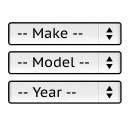
View plugin details ↗It will find products for selected make and model.
★ 5.0/5 (34)1,000+ active installations
- Version
- 1.0.12
- WordPress
- 4.7+
- Updated
- 20 Nov 2026
View plugin details ↗Replaces WooCommerce search with AI semantic search. Finds products even with natural language queries. No OpenAI key needed. Free forever.
★ 5.0/5 (3)200+ active installations
- Version
- 1.5.5
- WordPress
- 5.8+
- PHP
- 7.4+
- Updated
- 3 Nov 2026
View plugin details ↗Let visitors filter and search posts or custom post types by category, month, year and keyword, with no page reload. Shortcode and block included.
★ 4.5/5 (2)50+ active installations
- Version
- 2.3.1
- WordPress
- 6.0+
- PHP
- 7.4+
- Updated
- 27 Nov 2026
View plugin details ↗AJAX WooCommerce product filter and WordPress post filter. Shoppers filter by price, rating, category, attribute, color and size without reload.
★ 4.0/5 (6)200+ active installations
- Version
- 1.1.50
- WordPress
- 5.8+
- PHP
- 7.4+
- Updated
- 20 Nov 2026
View plugin details ↗